Xero inventory management covers the basics well: it tracks up to 4,000 finished-goods items in one location, updates stock when invoices and bills are approved, and posts cost of goods sold at weighted average cost. Once you need more than one warehouse, batch or serial numbers, expiry dates, FIFO costing, landed costs or manufacturing, Xero itself points you to an inventory app. And when the app and Xero stop agreeing on what your stock is worth, it is usually time to look at a single system.
This guide is for Australian business owners who run their books in Xero and are starting to feel the stock side strain. It sets out what Xero's tracked inventory actually does, where it stops, when Xero plus an app is the right answer, and when a full ERP such as Odoo earns its place. We've tried to be honest about all three, because the wrong move here is expensive either way.
Can Xero do inventory management?
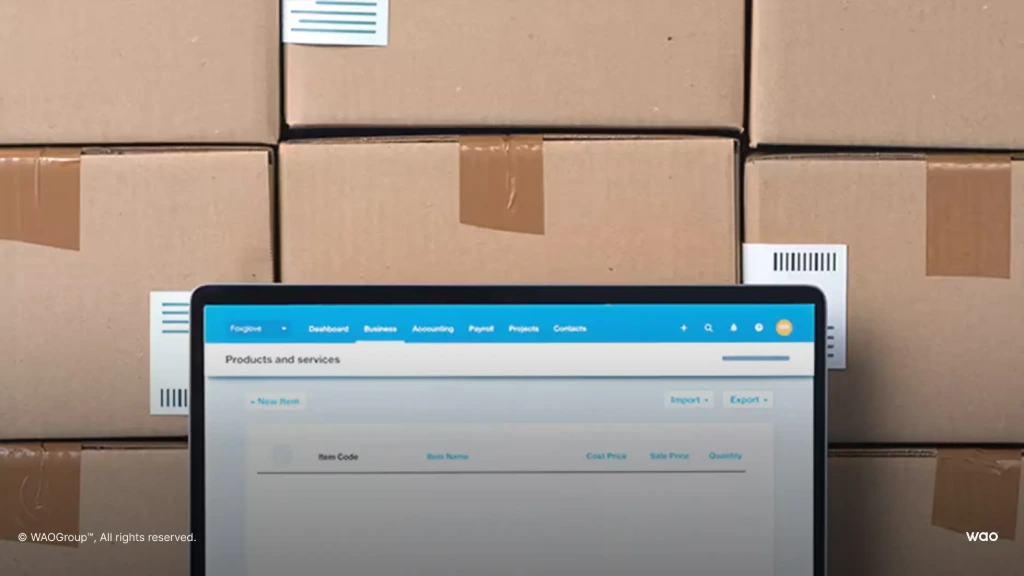
Yes, for a simple product business. Xero calls the feature tracked inventory, and it is built for finished goods you buy and resell. You set up each item once, with its purchase price, sale price, account codes and tax rate, and those details flow into quotes, invoices, bills and purchase orders so nobody retypes them.
From then on, Xero will update inventory levels as you trade. Stock levels go down when you approve a sales invoice and up when you approve a bill. Credit notes reverse the movement. Inventory adjustments let you correct quantities after a stocktake or write off damaged goods. Reports show quantity and value on hand, sales by item and slow-moving stock, and you can check stock levels from the Xero mobile app.
For a business selling a few hundred finished products from one shed, that is often all the inventory tracking it needs, and it lives inside the accounting software the bookkeeper already uses, next to the invoicing features they rely on. That matters more than it sounds: you manage inventory and the books in one place, with one set of inventory data, no sync and no second login.
How does Xero track inventory and cost of goods sold?
Xero values tracked inventory using the weighted average cost method. Every time you buy stock, the item's average cost is recalculated across everything you hold. When you invoice a customer, Xero records cost of goods sold at that average cost and reduces the inventory asset by the same amount.
Two practical consequences follow. First, your stock is only as accurate as the bills you enter: if bills are approved late, or freight arrives on a separate bill that isn't coded to the items, the average cost is wrong and so is your margin. Second, average cost is the only method. If your accountant or your industry wants FIFO, Xero's own guidance is to use an inventory app.
How do I calculate inventory value in Xero?
Inventory value is quantity on hand multiplied by average cost for each tracked item. The Inventory Item Summary report shows it, and the total should agree with the inventory asset account on your balance sheet. If it doesn't, look first for manual journals posted to the inventory account, or for untracked items mixed in with tracked ones.
What are the limits of Xero's inventory?
Xero is open about this. Its own pages say tracked inventory supports up to 4,000 items and tracks stock in a single location, and they point you to third party tools in the Xero App Store for anything beyond that. Taken together with what tracked inventory is designed for, the limits are:
- Item count. Up to 4,000 tracked items. A distributor with size and colour variants can pass that faster than expected.
- One location. You can't track stock in separate warehouses, vans or consignment locations. Multiple locations need an app or a warehouse management system.
- No batch, lot or serial numbers. So no expiry dates, no FEFO picking and no recall trace back to a supplier batch.
- Average cost only. No FIFO or standard cost, and no built-in way to spread freight, duty and insurance across a shipment as landed cost.
- Finished goods only. Xero recognises raw materials and work in progress as inventory, but tracked inventory is designed for finished goods. There are no bills of materials, manufacturing orders or raw material tracking.
- No reorder automation. You can see what is low, but reorder points that help you avoid stockouts, and automatic purchase suggestions, come from an app.
You may have read about Xero Inventory Plus, which adds multiple locations and reorder points. Xero announced it in August 2024 for small goods-based businesses in the US. Check xero.com/au before assuming it is available to your Australian organisation.
When is Xero plus an inventory app enough?
For a lot of businesses, this is the right answer, and we'd tell you so in a discovery call. A cloud based solution connected to Xero adds the things above (locations, batches, purchase planning, barcode scanning) while Xero stays the ledger. If your team is happy in Xero and your accountant is too, adding one app is far less disruption than replacing the whole system.
Xero plus an app tends to work well when:
- Stock is the only gap. Sales, purchasing, payment and accounting work fine; it's just the warehouse that needs more.
- There is one integration to look after. One app syncing to Xero is manageable. Three or four apps, each pushing transactions into Xero, is where the trouble starts.
- Someone owns the reconciliation. The app holds the stock value; Xero holds the ledger. A person needs to check every month that the two agree.
The Xero App Store lists a long range of inventory management software built to integrate with Xero, from simple stock apps to inventory software with sales orders, order management, supplier tracking, barcode scanning and advanced reporting. Check the pricing too: app fees, per-user charges and other tools add up, so put the whole stack in one budget. If you go this way, test the sync with your own data before you commit: create a purchase with freight, receive it in two parts, sell some, return one, and check that the stock value in the app equals the inventory account in Xero.
Not Sure If Odoo is Right For Your Business?
We'll look at your stock, your Xero file and your growth plans, and tell you honestly whether Xero plus an app, or an ERP, fits better.
What goes wrong when the app and Xero disagree?
The most common pain we see is not missing features. It's two systems holding two versions of the truth. The app knows the stock; Xero knows the money. They talk through an integration, and every time it fails, gets edited on one side or posts a summary instead of the detail, the inventory value in Xero drifts away from what is on the shelf.
The symptoms are familiar to any accountant who has done month-end for a product business: a stock-on-hand report that doesn't tie to the balance sheet, a journal to make it tie, margins by product that nobody trusts, and cost of goods sold that jumps around because landed costs arrived after the stock was sold. Manual data entry creeps back in to patch the gaps, every extra app means other systems your bookkeeper needs access to, and the business stops believing its own numbers, along with the cash flow forecast built on them.
If that sounds like your month-end, the issue is usually architecture, not discipline. Our guide to the signs a business has outgrown Xero covers the wider pattern.
When does a business need an ERP instead of Xero inventory?
An ERP replaces the accounting software and the inventory app with one platform, so sales orders, purchase orders, stock moves, manufacturing and the general ledger share one database across the entire business, with real time inventory tracking against the same ledger. Nothing needs to sync, because there is nothing to sync between.
In the enquiries we receive from product businesses, the same needs come up again and again: more than one warehouse, batch and expiry tracking with FEFO picking, landed costs on imported stock, accurate opening balances and inventory valuation at cutover, and making and selling from the same stock pool. When three or more of those apply, an ERP deserves a proper look, and the comparison should include the hours your team spends reconciling apps, not just the subscription fees.
It is the wrong move if your business is small, stable and selling finished goods from one location. In that case Xero's own inventory, or Xero plus one app, will serve you better and cost less. We'd rather you hear that from us now than discover it halfway through an implementation.
How does Odoo handle what Xero inventory doesn't?
Unlike accounting systems that add stock through apps, Odoo is one example of an ERP where accounting and inventory are the same system. Here is how it covers each Xero limit, viewed through the accounts:
- Multiple locations. Warehouses, sub-locations, transit locations and vans, with stock moves between them recorded as they happen.
- Batch, lot and serial numbers. Expiry, best-before and removal dates on each lot, with FEFO removal so the oldest-dated stock leaves first.
- Costing methods. Standard, average (AVCO) or FIFO, set per product category, so the valuation matches how your accountant wants it reported.
- Landed costs. Freight, duty and insurance added to the receipt and split equally, by quantity, by current cost, by weight or by volume, so the cost of goods sold reflects the true unit cost.
- Manufacturing. Bills of materials, work orders and component consumption, so raw materials and finished goods sit in the same inventory.
- Reordering. Min/max reordering rules that create draft requests for quotation or manufacturing orders when stock drops below the minimum.
Because every stock move posts to the general ledger in the same database, the stock valuation report and the balance sheet tie without a plug journal, you keep the historical data for every lot and receipt, and the reporting gives margin insights by product, customer and channel. For the detail, see our Odoo Inventory setup guide and how an inventory management system reduces costs for small businesses.
Can Odoo work alongside Xero?
It can. Some businesses run Odoo for sales and inventory while keeping Xero as the ledger during a transition. It works, but it brings back the sync problem described above, so we usually treat it as a stepping stone, not a destination. Our Xero vs Odoo comparison sets out the trade-offs, and our article on Odoo vs Unleashed covers the most common Xero-plus-app alternative.
How do you decide between the three options?
The key test is your own data, not a feature list. Work through these questions with your accountant before you talk to any vendor:
- How many locations do you hold stock in, today and in two years? One points to Xero; more than one points to an app or an ERP.
- Do you need batch, serial or expiry tracking? If a recall or an expiry date could cost you customers, you need it.
- Do you import? If freight and duty are a material share of your unit cost, you need landed costs.
- Do you make anything? Kitting, assembly or manufacturing needs bills of materials.
- Does your stock report tie to your balance sheet every month without a journal? If not, the problem is already costing you.
Mostly "no" answers: Xero's inventory is fine. One or two "yes" answers: try Xero plus one app. Three or more: get an ERP assessment. If you are weighing ERPs, our list of Xero alternatives for Australian businesses is a good place to start, and our pages on Odoo for wholesale and distribution and manufacturing and inventory show what it looks like in practice.
Why take this advice from WAO?
WAO started with two accountants helping businesses make Xero do more, and we now implement Odoo across inventory, manufacturing, eCommerce, field service and projects, with the accounts as the lens on every module. We were the winner of the Odoo Customer Choice Award (ANZ) 2026, and the Odoo partner directory lists 60+ client references, 10+ certified Odoo experts and 95%+ client satisfaction.
Frequently asked questions
Yes, for finished goods in one location. Xero's tracked inventory handles up to 4,000 items, updates stock from approved invoices and bills, and records cost of goods sold at weighted average cost. Multiple locations, batches, serial numbers, FIFO and manufacturing need an inventory app or an ERP.
Xero says its tracked inventory supports up to 4,000 items. Businesses above that, or needing advanced features, are directed to inventory apps in the Xero App Store.
Not natively in Australia. Xero's own guidance is that its inventory tracks stock in a single location, and multi-location tracking needs a third-party app.
Using the weighted average cost method. When you invoice a tracked item, Xero posts cost of goods sold at the item's current average purchase cost.
Tracked items are set up in Xero's products and services list. Stock value sits in your inventory asset account, and the inventory reports show quantity and value on hand.
One location, average cost only, no batch or serial tracking, no landed costs and no manufacturing. Each can be added with an app, but every app adds an integration that someone has to reconcile.
Add an app if stock is your only gap and one integration will cover it. Consider an ERP when you need several of multiple locations, batches, landed costs and manufacturing, or when your stock report no longer ties to your balance sheet without a journal.
The information and tips shared on this blog are meant to be used as learning and personal development tools as you launch, run and grow your business. While a good place to start, these articles should not take the place of personalised advice from professionals. As our lawyers would say: “All content on WAO’s blog is intended for informational purposes only. It should not be considered legal or financial advice.” Additionally, WAO is the legal copyright holder of all materials on the blog, and others cannot re-use or publish it without our written consent.