ERP accounting software for Australian businesses that have outgrown Xero and MYOB
One system for accounting, inventory, purchasing and payroll - with GST, BAS, TPAR and STP Phase 2 configured properly, by people who have run finance functions themselves.
If your accounting software still does the books but inventory, job costing, multi-entity and reporting have been bolted on around it, you do not have an accounting problem. You have an architecture problem. We are an Australian Odoo partner and this is the work we do.
Winner, Odoo Customer Choice Award (ANZ) 2026. Odoo Gold Partner in 2025 and 2026. 95%+ client satisfaction, 60+ client references and 10+ certified Odoo experts on Odoo's own partner directory.
Is Odoo actually right for you?
Four fields. A solution architect replies within one business day - including if we think you should stay where you are.
We use your details to answer this enquiry and nothing else. No list, no drip sequence, no reselling. A real solution architect reads it - usually the same day.
Prefer to talk? +61 2 8317 1300
Sydney office, 9am to 5pm AEST
Australian businesses running Odoo with WAO








All three figures come from Odoo's own partner directory, not from us.
This page is for you if
Any two of these is usually enough. Three means it is costing you real money already.
Month-end takes longer than it should
You close in double figures of days, and the last week of it is chasing people rather than reviewing numbers.
BAS is assembled, not produced
Someone exports to a spreadsheet, adjusts it by hand, and the working papers live on one person's desktop.
The same data is keyed more than once
Orders in one system, invoices in another, payroll in a third. Every hand-off is a place the numbers can disagree.
You cannot see margin until it is history
Job or product profitability arrives weeks after the decision that needed it. Pricing is being set on instinct.
Approvals happen by email
Purchase and expense sign-off has no audit trail your accountant would accept without a conversation.
Your accounting package has run out of room
Xero or MYOB still does the books, but inventory, projects and multi-entity have been bolted on around it.
None of those are software problems. They are financial process problems that software has been asked to paper over.
What we configure, specifically
Australian compliance is not a switch you flick. It is a set of decisions about how your tax codes, chart of accounts, approval paths and security are built - and getting them wrong is where most of the trouble in Australian Odoo deployments comes from. These are the ones that matter.
Australian tax and compliance
GST and BAS
Tax codes configured for standard-rated, GST-free, input-taxed and out-of-scope supplies, so the BAS is generated from your ledger pre-populated to the W1 through G20 labels and reviewed rather than rebuilt. Where you have taxable importations, capital acquisitions or mixed supplies, the tax engine carries multiple taxes and tax groups on a single line.
Fiscal positions
The single biggest source of GST error we see. Fiscal positions map the tax treatment automatically from the customer's location and registration status - a GST-registered Australian business, an unregistered consumer, a New Zealand entity and an overseas customer each get the right treatment without anyone choosing it from a dropdown.
Payroll and STP Phase 2
Award rates, overtime, leave accruals, superannuation, PAYG withholding and salary sacrifice classified to the Phase 2 disaggregation the ATO expects. Payroll journals post to the ledger automatically and super liabilities land in payables, so payroll reconciles without a manual journal.
TPAR
Suppliers flagged as contractors at setup, so taxable payments accumulate through the year from bills and payments and the annual report is generated rather than compiled from exports each June.
Peppol e-invoicing
Native access to the Peppol network for sending and receiving compliant e-invoices - which matters if you supply government or large corporates. Inbound Peppol invoices match against purchase orders automatically.
Audit trail and record-keeping
Transaction-level audit logs capturing user, timestamp and prior value on every change to an accounting record - the digital record-keeping standard the ATO expects, and the evidence your auditor will ask for.
The financial core
Chart of accounts and analytic accounting
Built around how you want to read the business. Analytic accounts tag every transaction across several dimensions at once - project, department, product line, cost centre, region - so management reporting and statutory reporting come from one set of numbers instead of a spreadsheet built on top of an export.
Bank feeds and reconciliation
Australian bank feeds, ABA payment files and BECS direct debit, with reconciliation rules that clear the routine traffic automatically. Matching becomes exception handling rather than a daily data-entry job.
Payables and receivables
Three-way matching between purchase order, receipt and supplier invoice. On the sales side, payment terms, credit limits and automated reminders built into the workflow. Aged payables and aged receivables are always current because they are the ledger, not a report run.
Fixed assets
Acquisition, depreciation, revaluation and disposal with journals posted automatically. Diminishing value and prime cost both supported, and the asset register stays reconciled to the general ledger - which retires the spreadsheet most finance teams are still running alongside their accounts.
Revenue recognition and billing
Invoices generated from sales orders, subscriptions, delivery notes or approved timesheets, with deferred revenue handled in the ledger. Fixed-fee, time-and-materials and milestone billing configured per project rather than per invoice.
Multi-currency and multi-entity
Exchange rate updates, unrealised FX revaluation and multi-currency reconciliation. Across entities, shared masters with separate books, intercompany transactions posting to both sides, and consolidated P and L and balance sheet in real time with eliminations handled - not a monthly manual exercise.
Control and access
Security groups and row-level rules
Access defined by role against your actual organisation structure. A warehouse operator sees no accounting records; a sales rep sees their own customers. In a group structure, row-level rules stop users in one entity seeing another entity's financials.
Approvals and delegation
Purchase, expense and payment authority set in the system with limits and delegations, so who approved what is a record rather than a recollection - and so month-end does not stall waiting on an email that was never sent.
What this actually looks like
Two views a finance team cannot produce from a standalone accounting package without exporting to a spreadsheet first. Both are illustrations built on sample data - we do not publish client figures.
Profit and loss by project
Analytic accounting tags every transaction as it is posted, so margin by project, department, cost centre or region is a report you run, not a reconciliation you perform. Here, one project is quietly losing money while the total still looks healthy.
| Northern Depot Fitout | Retail Rollout | Export Program | Total | |
|---|---|---|---|---|
| Income | 486,200.00 | 318,750.00 | 254,600.00 | 1,059,550.00 |
| Cost of Sales | 312,400.00 | 241,900.00 | 148,300.00 | 702,600.00 |
| Gross Profit | 173,800.00 | 76,850.00 | 106,300.00 | 356,950.00 |
| Gross margin | 35.7% | 24.1% | 41.8% | 33.7% |
| Operating Expenses | 96,500.00 | 88,200.00 | 61,400.00 | 246,100.00 |
| Net Profit | 77,300.00 | -11,350.00 | 44,900.00 | 110,850.00 |
Illustration using sample data. Retail Rollout is running at a loss of $11,350 - visible now, in the same report the board sees, rather than at year end.
Business Activity Statement
Generated from the ledger and pre-populated to the ATO labels. Nothing is exported, adjusted by hand, or reassembled in a spreadsheet - the working papers are the transactions.
| GST amounts you owe the Tax Office from sales | |
|---|---|
| G1: Total sales (including any GST) | 291,520.00 |
| G2: Export sales | 38,000.00 |
| G3: Other GST-free sales | 12,400.00 |
| G4: Input taxed sales | 0.00 |
| G5: G2 + G3 + G4 | 50,400.00 |
| G6: Total sales subject to GST (G1 minus G5) | 241,120.00 |
| G7: Adjustments | 0.00 |
| G8: Total sales subject to GST after adjustments | 241,120.00 |
| G9: GST on sales (G8 divided by eleven) | 21,920.00 |
| GST amounts the Tax Office owes you from purchases | |
| G10: Capital purchases (including any GST) | 24,200.00 |
| G11: Non-capital purchases (including GST) | 168,300.00 |
| G12: G10 + G11 | 192,500.00 |
| G13: Purchases for making input taxed sales | 0.00 |
| G14: Purchases without GST in the price | 9,800.00 |
| G15: Estimated purchases for private use | 1,200.00 |
| G16: G13 + G14 + G15 | 11,000.00 |
| G17: Total purchases subject to GST (G12 minus G16) | 181,500.00 |
| G18: Adjustments | 0.00 |
| G19: Total purchases subject to GST after adjustments | 181,500.00 |
| G20: GST on purchases (G19 divided by eleven) | 16,500.00 |
| PAYG tax withheld | |
| W1: Total salary, wages and other payments | 96,400.00 |
| W2: Amount withheld from payments shown at W1 | 21,340.00 |
| Net amount payable to the ATO | 26,760.00 |
Illustration using sample data. GST payable of $5,420 (G9 minus G20) plus PAYG withheld of $21,340.
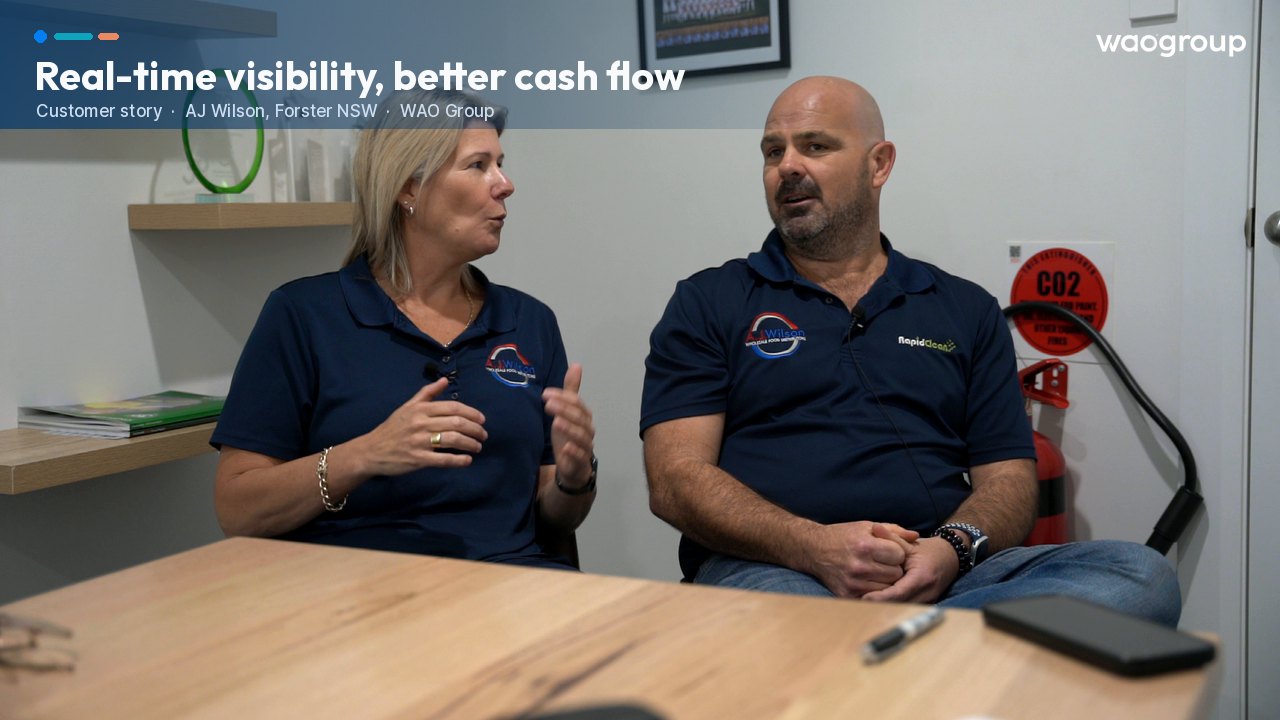
Customer story · 0:48
 0:48
0:48Read the transcript
We love the dashboard app. I think that’s just been a bit of a game changer for us, knowing where we’re at financially. I also think accounts receivable, the follow-ups that we can implement. I believe that saved us a lot of time as well. So the cash flow that’s coming through is a lot better than what it’s been. For the sales reps, having the ability to see dates for perishable products coming up, to see on-hand stock, what they need to move, any pre-orders, any special orders, they’ve got that in real time. That just means we’re not sitting on stock, or it’s not forgotten about.
Xero or MYOB with bolt-ons, versus one system
Most Australian businesses do not leave Xero or MYOB because the accounting is bad. They leave because everything around the accounting has been solved somewhere else.
| What you need | Xero or MYOB plus bolt-ons | Odoo, implemented by WAO |
|---|---|---|
| Where the numbers live | Accounting in one tool, stock in another, payroll in a third. Reconciled by hand. | One database. Operational transactions create the accounting entries as they happen. |
| BAS and GST | Exported, adjusted in a spreadsheet, working papers on someone's desktop. | Generated from the ledger, pre-populated to the W1 to G20 labels, reviewed rather than rebuilt. |
| Tax treatment by customer | Chosen manually per invoice. A common source of GST error. | Fiscal positions apply the right treatment automatically from location and registration status. |
| Inventory and manufacturing | A separate app synced nightly. Stock valuation and the GL disagree. | Native. Stock movements and production post to the ledger in real time. |
| Job and project margin | Reconstructed after the job closes, usually in Excel. | Analytic accounting tags every transaction by project, department, cost centre or region. |
| Multi-entity | Separate files, manual monthly consolidation, intercompany done by journal. | Shared masters, separate books, automatic intercompany and real-time consolidation. |
| Approvals | Email threads. No audit trail your auditor will accept without a conversation. | Limits and delegations set in the system, with a transaction-level audit log. |
| Cost shape | Low licence cost, rising integration and manual-labour cost as you grow. | Higher up-front implementation, then one platform that absorbs growth without new tools. |
Being honest about it: if you are a straightforward services business under about fifteen people with no inventory, Xero is excellent and we will tell you to stay on it.
Want to keep Xero? You can.
Plenty of finance teams like Xero and do not want to move the ledger. Sometimes that is loyalty, sometimes it is the bookkeeper, and sometimes it is simply that the accounting is the one part of the business that already works. All three are fair.
So we built our own Odoo to Xero connector. You run Odoo for the operational side - inventory, manufacturing, purchasing, projects, job costing, quoting - and Xero stays the book of record. Invoices, bills, payments and journals flow across automatically, without the nightly CSV export that most integrations still rely on.
It means you do not have to make the whole decision at once. Fix the operational problem now, keep the accounting where your team is comfortable, and consolidate onto one ledger later if you ever want to. If you never want to, that is a perfectly good answer too.
Two ways to run it
Odoo end to end. One ledger, one database, GST and BAS generated from the same data your operations create. The simplest architecture, and where most clients land.
Odoo plus Xero, connected. Odoo runs operations, Xero stays the book of record, our connector keeps them in step.
We will tell you which one we think fits your business, and why. The Blueprint is where that gets decided - with your data in front of you, not in a slide.
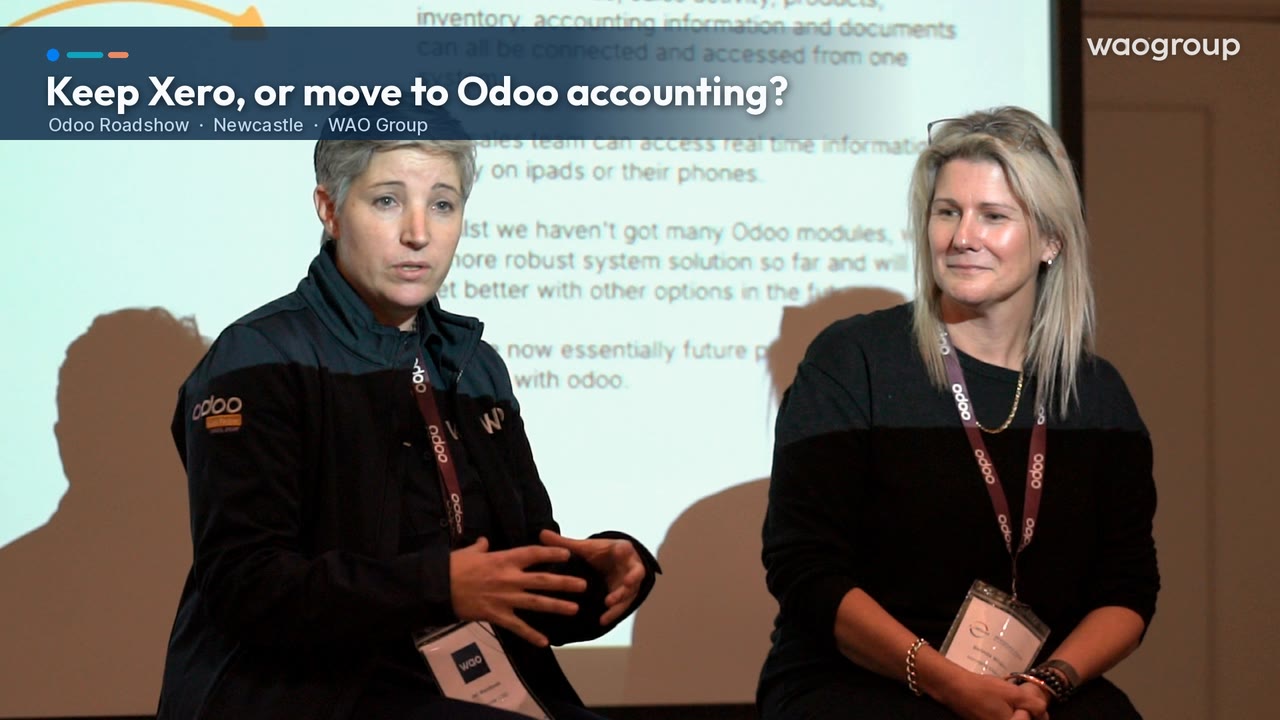
Watch · 0:55
 0:55
0:55Read the transcript
Jeri Wambeek (WAO Group): You can connect Odoo to Xero and use Odoo like a big add-on. We know Xero is great, but we prefer people to have it all in one. But not everybody’s ready for that. And Odoo itself has localised a lot over the last couple of years, that now, the last three or four years, it’s been possible to go fully to Odoo accounting and get the same functionality as you do inside Xero and MYOB. So people can connect Odoo to Xero, or you can convert all your data from Xero into Odoo using the conversion tools that we have, so that it feels like you’re using Odoo the whole time, because you bring that transaction history across.
Belinda Wilson (AJ Wilson): I couldn’t even tell you the last time I went into Xero. The invoices go out, it’s seamless. Supplier payments, you know, ABA files, everything just seems and feels a bit easier than what it did with Xero.
Who is actually configuring this
Most ERP work is done by consultants who learned accounting from the software. Ours is done the other way round.

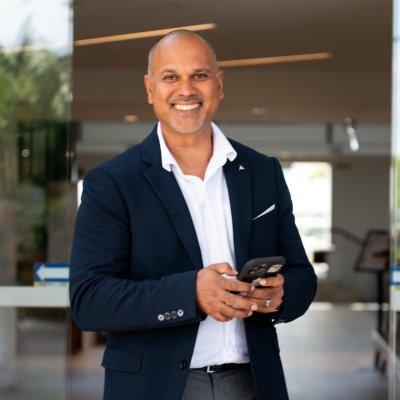
Jeri Wambeek
Co-founder. Leads the Odoo Success Blueprint and pre-sales solution architecture.
Background in company accounting and financial control before moving into ERP delivery.
Marlon Wambeek
Co-founder. Ten years implementing ERP for Australian businesses.
Has worked as a company accountant, financial controller and CFO before building WAO.
The team behind them
Chartered Accountants in our operations team, engaged on your project once it is underway. Jeri and Marlon are not chartered accountants and we do not claim to be - they have worked as tax accountants, financial controllers, company accountants and CFOs.
10+ certified Odoo experts (Odoo partner directory).
60+ client references and 95%+ client satisfaction, both from Odoo's own partner directory.
What that means in practice: when you say the trial balance does not look right, the conversation starts at the trial balance rather than at a support ticket.
Australian businesses we have taken through this
A. J. Wilson
A 37-year-old wholesale business running on a legacy system, now live on Odoo 19 with finance, inventory and order processing on one platform. The owner has since become a referral partner.
Read the full case studyBSA Group (Battery Specialties)
Daily bank reconciliation cut from 60 minutes to 5
A migration off SAP across multiple regions, staged to de-risk the cutover. Automated bank feeds and ABA file processing turned the daily reconciliation from a 60-minute manual task into a 5-minute automated one, and manual financial processing dropped by around 90 per cent. Supplier price changes across thousands of SKUs now take minutes rather than days.
Read the full case studyWe scope it before we build it
There are two commercial stages, and they are deliberately separate. You are never asked to commit to an implementation before you have seen it.
The Odoo Success Blueprint
Four to six weeks. We work through your processes module by module, decide how each one should run in Odoo, and configure a working version of it using your chart of accounts and your data.
Then our solution architects demo your solution back to you. Not a generic product demo - your accounts, your approval paths, your reports. You approve what you have seen. That is what removes the surprises from stage two.
Implementation
Delivered in two-week sprints against the scope you signed off. Configuration, data migration, integrations, testing, training and go-live.
Because the Blueprint has already resolved the design questions, stage two is execution rather than discovery. That is also why we can estimate it with confidence.
How long it really takes
There is no single answer, and anyone who gives you one has not asked how big your project is. These are our actual ranges, by project size, from ten years of doing this in Australia.
The honest part about delays
In ten years of doing this, the delay is almost always on the client side - decisions that sit unmade, data that takes longer to clean than anyone expected, and people who are being asked to do a project on top of a full-time job. If the pace were entirely ours to set, we could take roughly twenty per cent off every one of the numbers above. Knowing that in advance is what lets you actually do something about it: name a decision-maker, protect their time, and start the data clean-up before the project does.
Two things that sit outside those ranges
The Blueprint comes first - four to six weeks of scoping and the demo-back, before implementation starts.
Sprints are two weeks - so you see working software every fortnight rather than at the end. If something is drifting, you find out in a fortnight, not in a quarter.
What it costs
We would rather you knew this before the first call than after the third.
The Blueprint is priced per module
Each module you need is scoped at one of three complexity levels, depending on how much your process differs from the standard.
- Simple$600
- Intermediate$1,200
- Advanced$1,800
Per module, excluding GST. A finance-led scope typically covers accounting, invoicing, purchasing and reporting, with inventory or payroll where relevant.
Implementation is estimated, then billed on time
Implementations run from around $30,000 for a focused finance-first scope up to $400,000 for a multi-entity group. What moves the number is how many modules are in scope, how much history has to be migrated, and how much integration work sits around the edges. Most businesses reading this page land somewhere in the $70,000 to $120,000 band.
We do not sell fixed price. We used to, and we were burnt by it - which meant either we absorbed the cost of scope changes or we argued with clients about them. Neither is a good outcome.
So the quote is a considered estimate of cost, built from the Blueprint you have already approved, and the work is billed as it is done. If you introduce a variation to the agreed scope, the price moves and you will know about it at the time. Across our last four projects the final cost came in around twenty per cent above the original estimate - almost all of it scope the client chose to add.
FREE ASSESSMENT
Not sure if you're ERP-ready? Score your business in 4 minutes.
The ERP Readiness Scorecard asks 20 questions across finance, operations and data. You get a score and a clear view of where implementation risk sits — before you commit to anything.
What this makes possible
Once the ledger is right, finance becomes the most automatable part of the business — and the easiest place to prove it. Bill coding, bank reconciliation and debtor chasing are high volume, repetitive and countable before anyone builds anything, which is why AI for accounting is usually the first workflow we take on. It only works because the accounting was done properly first.
Seen enough to want a number for your business?
Tell us what is driving it and a solution architect will come back within one business day with a realistic range - not a brochure.
Questions finance people ask us
How long will our implementation take?
Can Odoo actually handle BAS and STP Phase 2 properly?
We are on Xero. Is Odoo a step backwards for accounting?
What happens to our historical data?
Who does the work - is it offshored?
What if we start the Blueprint and decide not to proceed?
Do you support us after go-live?
Not sure whether your finance function is the problem or the software is?
Seven questions, about two minutes. You will get an honest answer from a solution architect who implements Odoo in Australia - including if we think you are better off staying where you are.
Want a longer read first?
The ERP Readiness Scorecard scores your business across the areas that decide whether an implementation goes well - data quality, process maturity, sponsorship and capacity.
Take the readiness scorecard