Odoo Custom Reports by WAOAnalytics:
Tailoring Insights to Your Needs.
Create fully customized Odoo reports using QWeb templates and XML configurations, allowing you to adapt layouts, display the right data, and generate documents that perfectly match your business processes and reporting needs.
Odoo custom reports allow you to generate tailored documents that meet your business needs. To create or modify these reports, you typically work with QWeb templates, which are defined using XML files. These XML files specify the structure of the report, bind it to a model, and set the report's 'type' (such as PDF, HTML, or plain text) in the configuration. The main parts of a custom report include the QWeb template and the report action, both defined in XML.
When you customize an existing report or template, you can adjust the layout, add new fields, or change the data displayed to fit your requirements. Within report templates, Odoo provides several common items in the rendering context, such as 'docs', 'doc_ids', and 'doc_model'. These items make it easier to access and display the necessary data in your custom reports.
If you are new to Odoo custom reports, enabling developer mode is recommended to access technical features. The official documentation provides an example of how to set up a custom report, and you can also find step-by-step tutorials and guides on the Odoo community forum, the Odoo blog, and broader resources for businesses new to Odoo. These educational insights on Odoo ERP solutions cover common scenarios and advanced techniques for customizing reports.
Introduction to Odoo Reporting
Odoo reporting is a powerful solution designed to help businesses create custom reports that are perfectly tailored to their specific business needs. When you understand why Odoo is such a comprehensive ERP platform, its reporting capabilities become even more compelling. With Odoo, users have the flexibility to design and generate a wide variety of reports, including detailed PDF reports, to analyze and visualize their data in ways that matter most to their operations, all supported by its extensive suite of integrated Odoo applications. The reporting framework in Odoo is highly customizable, making it easy to create a new report, modify existing ones, and define unique layouts and report templates that reflect your business’s requirements.
Accessing the full suite of reporting features in Odoo typically involves activating developer mode, which unlocks advanced tools for customizing reports. In Odoo, every report is based on a related model—this model defines the data structure and fields that will be displayed in the report. When you want to create a new report, you can navigate to the report creation interface, where you’ll find a range of report templates to choose from, or you can design your own custom template from scratch. Odoo uses QWeb as its templating engine, allowing users to define the layout, structure, and style of their reports with precision.

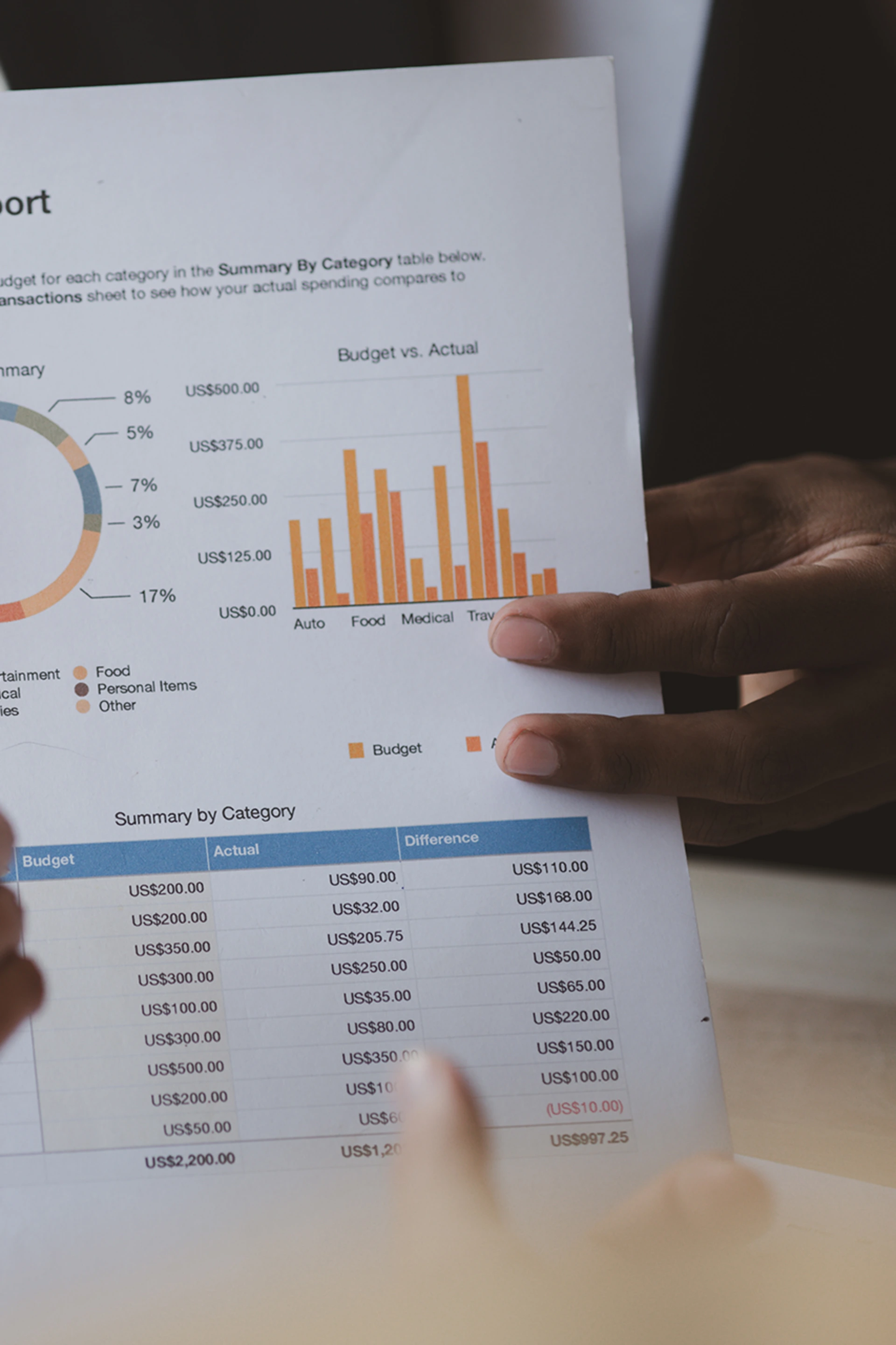
One of the standout benefits of Odoo reporting is its ability to deliver insights that are truly tailored to your business. By leveraging custom reports, you can analyze sales, inventory, financials, and more, using data that’s relevant to your specific business processes. Odoo makes it easy to add new fields, define custom variables, and even use Python code to perform complex calculations or data transformations. You can also enhance your reports by customizing the layout, adding images, charts, and other visual elements to make your data easier to interpret and act upon.
For those looking to get started with custom reports in Odoo, the official Odoo documentation is an excellent resource, offering step-by-step guides, examples, and tutorials. The Odoo community also provides a wealth of knowledge through blogs, forums, and videos, making it easier than ever to find answers and inspiration for your reporting needs.
In the following sections, we’ll take a closer look at how to create custom reports in Odoo, including defining a new report, designing report templates, and adding custom fields and variables. We’ll also explore the different types of reports you can create—such as PDF reports—and how to use Odoo’s reporting features to analyze and visualize your business data. Whether you’re new to Odoo or looking to enhance your existing reports, this guide will equip you with the knowledge and tools to create powerful, effective custom reports that drive better business decisions.
Customising reports in Odoo can be a complex task, often requiring expertise in developer mode operations, Python coding, and software development. For advanced customisations, developers may create a custom module to implement tailored computational functions. When working with Python, you can define a custom Python function to perform specific calculations or data processing within your reports. Additionally, you may need to set various parameters or options, such as configuring new fields or establishing report delivery preferences.
At WAOAnalytics, we specialise in creating custom Odoo reports that meet your specific business requirements, saving you the hassle and technical overhead. As part of the broader WAO Group expert Odoo partner services, we help you decide when and how to customise Odoo for your business so your reporting remains robust and maintainable.
Overcoming the Challenges of Custom Reporting in Odoo.

The Complexities of Custom Reports in Odoo
Technical Expertise Required
Standard reporting in Odoo offers limited customisation options. Advanced customisations typically require access to developer mode and a solid understanding of Python programming, especially when working with specific fields for grouping, column definitions, or when adding a new field to a model for enhanced reporting—areas where having specialised help with your Odoo environment can significantly reduce risk and rework.
Business-Specific Needs
Each business has unique reporting needs. Off-the-shelf reports may not always capture the specific metrics and formats required for informed decision-making. Selecting the appropriate field for grouping and defining report columns is crucial for tailoring reports to your requirements.

Our Custom Report Solutions
Bespoke Report Design
We design and develop custom reports that fit your exact business specifications, whether it’s detailed financial analysis—such as account selection criteria and account tagging for financial reporting—operational efficiency metrics, or customer behavior insights. We also complement static reporting with custom advanced Odoo dashboards for real-time insights and scheduled Odoo reports for automated delivery.
Each record in your model can be accessed and manipulated within the report template, allowing for dynamic and precise data presentation. When adding custom fields, we guide you through the process of creating a new field in the Journal Item model, including setting the field name, label, type, and related model to facilitate grouping or related data access. Additionally, our templates can reference the user generating the report, providing context and personalization by accessing the current user's information.
No Need for In-House Development
Our team of experts handles all aspects of report customisation, eliminating the need for your team to delve into the complexities of Odoo’s backend.

Benefits of Choosing WAOAnalytics for Odoo Custom Reports

Tailored Insights
Reports
Gain reports built specifically for your business. WAOAnalytics creates customised Odoo reports that reflect your unique workflows and data needs, delivering clearer insights and more meaningful information to support smarter decision-making.

Time & Resource
Efficiency
Streamline reporting without the technical complexity. Our team handles the development and configuration of your custom Odoo reports, allowing you to save valuable time and internal resources while focusing on your core business activities.

Expert Support
at All times
Work with experienced specialists who understand both Odoo and business reporting. Our team ensures your reports are not only tailored to your requirements but also optimised for accuracy, clarity, and long-term performance.
Frequently Asked Questions
Tailoring Your Odoo Reporting Experience
We can create a wide range of custom reports, from complex financial statements to detailed operational and customer analytics reports, all tailored to your specific business needs.
Yes, we can set up automated delivery for your custom reports, ensuring you receive timely updates without manual intervention.
Where scheduled reporting is requested, we use Amazon Quicksight to build your custom reports and scheduled reporting emails.
Our process includes rigorous testing and validation to ensure that every custom report is accurate and reliable, provided all necessary parameters and conditions are met. The report engine targets specific objects, allowing us to read data directly from relevant records.
We also reference and refer to key fields and report variants to ensure data consistency and linkage throughout the reporting process. If you encounter any issues or believe you have been blocked, you can file a support ticket for prompt assistance.
Additionally, we offer more than one way to approach reporting, so you can choose the method that best fits your business needs, and you can further extend your skills through our Odoo workshops and training programs.
If You Have Any Questions, Contact Us.
Empower Your Business with Custom Odoo Reports by WAOAnalytics.
Contact Us to Enhance Your Decision-Making with Custom Odoo Reports.
Don’t let the limitations of standard Odoo reporting constrain your business insights.
With WAOAnalytics, unlock the full potential of your data through custom reports designed specifically for your business needs.