Odoo Retail ERP, POS and eCommerce for Australia
Seamlessly Integrate eCommerce & Retail POS for Financial Control.
For modern retailers, the line between a physical storefront and an online cart has disappeared. But for your back office, they often exist as separate, conflicting worlds. Juggling two sets of inventory, separate customer databases, and promotions that don't sync leads to stockouts, frustrated customers, and an inability to see your true, blended profitability.
As a firm founded by accountants, we solve this core financial challenge. We implement Odoo to be the single, unified commerce platform that connects your eCommerce store and your retail POS. We ensure every sale, every return, and every customer interaction is captured in one place, giving you a rock-solid financial and operational core to scale your brand with confidence.

A Truly Unified Commerce Platform, Built on a Financial Core
We architect Odoo to solve the most pressing pain points for Australian retailers, creating a seamless experience for both your customers and your team:

Seamless Payment Processing
Accept payments smoothly across every channel. We integrate Odoo POS with Australia’s leading gateways—Tyro, Linkly, and Windcave—ensuring secure, fast transactions that reconcile directly with your Odoo Accounting.

Omnichannel Customer Experience
Deliver the seamless retail experience your customers expect. We configure Odoo for unified loyalty, gift cards, and promotions across channels, plus Click & Collect is fully integrated with inventory and sales data.

Unified Inventory Management
Eliminate overselling and stock discrepancies for good. Odoo gives you a single, real-time view of inventory across all locations—your eCommerce warehouse and your retail stores. A product sold in-store is instantly updated online, and vice versa.

Integrated Point of Sale (POS)
Odoo’s POS is robust, intuitive, and reliable. It works on any device—from an iPad to an industrial touchscreen—and critically, it continues to function even if your internet connection goes down, automatically syncing all transactions once you're back online.
The job to be done
What a retail ERP actually has to do
Retail software is sold on the till screen. What decides whether the system pays for itself is what happens behind it, in four places.
Hold one stock number, not four
The moment your shop floor, your website, your marketplace listing and your wholesale channel each keep their own view of stock, you are choosing between overselling and holding buffer inventory in every channel to avoid it. Both cost money. One pool, decremented by whichever channel sold it, is the whole argument for putting retail on an ERP rather than stitching apps together.
Know the margin per channel, not just the revenue
Online orders carry pick, pack, freight and a return rate that a counter sale does not. Marketplace orders carry commission. Wholesale carries terms. Revenue by channel is easy and tells you almost nothing; contribution by channel after the cost of serving it is the number that changes what you do next.
Recognise revenue where it actually belongs
Gift cards, store credit, loyalty points, lay-by and deposits are liabilities until they are redeemed. Retail businesses routinely book them as revenue on the day they are taken, then find the balance sheet does not agree with the loyalty scheme. Getting this right is an accounting design decision made before the first sale is rung up.
Close the day, and then the month, without a reconstruction
Every till session should close to cash counted, card settled and stock moved, with variances visible on the day rather than found at month-end. When that holds daily, month-end close is a review rather than an investigation.
One stock pool
One stock pool across every channel
This is the reason retailers move to Odoo, and the part that has to be configured deliberately rather than switched on.
Same product, same stock, every channel
The shop floor, the online store, the marketplace listing and the wholesale price list all read and write the same product record and the same quantity. A sale on the counter reduces what the website can sell within the same transaction, not on tonight's sync.
Stock by location, not just in total
Multi-store retailers need to know what is in each shop, what is in the distribution centre and what is in transit between them. Odoo warehouses and locations model this natively, so "we have three" can be answered with where.
Reserved versus available
Once an online order is placed, that stock is committed. Odoo separates on hand from forecasted from available to promise, so the last unit is not sold twice — once at the counter and once online, ten seconds apart.
Transfers between stores
Inter-store transfers as tracked movements rather than a phone call and a note. The stock leaves one location, sits in transit, and arrives — with a record if it does not.
Replenishment per location
Reordering rules set per product per store, so a slow line in one suburb is not restocked on the same rule as a fast one in another.
Cycle counting
Counts scheduled by location or category running continuously, rather than closing the shop for a full count. For multi-store retail this is usually the fastest operational payback in the project.
At the counter
Odoo Point of Sale
Odoo POS runs in a browser on almost any hardware, keeps working when the internet drops, and posts to the same ledger as everything else.
It keeps selling when the line goes down
The POS caches its product and pricing data locally and continues to take sales through an internet outage, then synchronises when the connection returns. For a retailer whose worst hour is a busy Saturday with a flaky connection, this matters more than most feature comparisons.
Hardware you probably already have
Receipt printers, barcode scanners, cash drawers, customer-facing displays and weighing scales for anything sold by weight. Odoo POS is hardware-agnostic within the common Australian retail kit rather than tied to a proprietary terminal.
Sessions, cash control and variances
Each session opens with a counted float and closes with a counted drawer, and the difference is recorded against the person who closed it. Card settlements reconcile against the terminal. Variances surface daily rather than being discovered in a bank reconciliation three weeks later.
Multi-store and multi-register
Each store runs its own POS configuration — its own float, its own payment methods, its own receipt — while reporting into one set of books. Adding a store is a configuration, not a new system.
Hospitality as well as retail
For businesses running a cafe or bar alongside retail: floor and table management, order splitting, kitchen printing and course timing are part of the same POS rather than a separate product.
Loyalty, gift cards and promotions at the till
Loyalty programmes, gift cards, coupons and discount rules apply at the counter and online from the same configuration, which is what stops a customer being offered a promotion in one channel and refused it in the other.
Online
eCommerce on the same database as the books
Odoo includes a full online store. Whether you should use it, or keep the storefront you have and connect it, is the most consequential decision on this page — and the honest answer is that it depends.
What Odoo eCommerce gives you
Product catalogue, variants and attributes, customer accounts, wishlists, abandoned-cart recovery, delivery methods, Australian payment providers and a page builder — all reading the same products, stock, pricing and customer records as the POS and the ledger. No connector, no sync window, no reconciliation between two product masters.
Where it genuinely wins
Businesses whose online sales are meaningful but not their entire identity: wholesale-first businesses adding a retail channel, retailers whose catalogue changes constantly, anyone whose current pain is that the website and the back office disagree. Removing the sync layer removes an entire category of problem.
Where it does not
If your storefront is a genuine merchandising and brand asset — heavy content, sophisticated theming, a dependence on a large app ecosystem — Odoo eCommerce is not a like-for-like replacement for Shopify Plus. We will tell you that rather than sell you a migration you will regret.
The pattern we build most often
Keep the storefront that is working, and put Odoo behind it as the single source of truth for stock, orders, customers, fulfilment and financials. The customer keeps the front end they have invested in; the business stops running on two disagreeing systems.
Connecting what you already run
Connecting Shopify, WooCommerce and marketplaces to Odoo
Where the storefront stays, the integration is the project. These are the connections we build, and what each of them actually has to handle.
Shopify
Orders, customers, fulfilments and refunds into Odoo; stock levels and pricing back out. The parts that need care are variant mapping, gift cards, discount allocation across lines and how partial refunds land in the ledger — not the order feed, which is the easy half.
WooCommerce
The same shape of integration on a platform with more variability, because plugins change behaviour. Scope is driven by which plugins are in play more than by the store size.
Amazon
Odoo has a native Amazon connector covering order import and fulfilment status. Commission, FBA fees and settlement reconciliation are where the accounting work sits, and they are the reason marketplace margin is usually overstated.
Other marketplaces
Coverage beyond Amazon generally needs middleware rather than a native connector. That is an integration project with its own scope and cost, and it belongs in the estimate rather than in an assumption.
Freight and fulfilment
Carrier rating, label generation and tracking so dispatch is a scan. Where fulfilment is outsourced, stock and dispatch instructions flow to the 3PL and confirmations flow back.
The rule we apply
One system owns each piece of data. Stock and financials are owned by Odoo; the storefront owns presentation and the customer experience. Integrations that let both sides edit the same field are the ones that fail six months later.
Where the channels meet
Click and collect, ship from store, and returns
Omnichannel is easy to say and awkward to account for. Each of these flows moves stock and money between channels, and each needs a deliberate answer.
Click and collect
An online order reserved against a specific store's stock, picked by that store, collected by the customer. The question that needs answering before you build it is whose sale it is — the online channel that won it or the store that fulfilled it — because that decision drives store performance reporting and, in many businesses, commission.
Ship from store
Using shop stock to fulfil online demand turns every store into a fulfilment node and is the fastest way to lift availability without buying more inventory. It also puts picking work onto retail staff, so it needs rules about which orders route where and a floor that will actually do it.
Returns across channels
Bought online, returned in store, is the flow that breaks most retail systems. It needs the original order, the original payment method, the correct tax treatment and the stock put back into the right location in sellable or quarantined condition. Odoo handles it, but only if the return route is designed rather than improvised at the counter.
Gift cards, credit notes and lay-by
All three are liabilities carried on the balance sheet until redeemed, and all three are commonly mis-posted as revenue on the day they are issued. We set the accounting treatment for these at design time, with your accountant, because unwinding it later is genuinely painful.
Do you know which sales channel is actually making you money?
Talk it through with an accountant who has costed Australian omnichannel retail in Odoo — commission, freight, returns and all. Thirty minutes, no obligation.
The accountant section
Margin by channel, by product, by store
Two channels selling the same item at the same price are not equally profitable. Very few Australian retailers can produce this view, and the ones who can tend to change where they push volume.
Analytic accounting by channel and store
Analytic distributions tag revenue and cost by channel, store, brand or category independently of the chart of accounts. That is what makes a profit and loss per store or per channel possible without creating a hundred general ledger accounts, and it is a day-one design decision rather than a report switched on later.
The costs that only apply online
Pick and pack labour, packaging, outbound freight, payment gateway fees, marketplace commission and — the one most often ignored — the return rate. An online channel running fifteen per cent returns on a thirty per cent gross margin is a materially different business from the counter selling the same product.
True cost of goods
If you import, freight, insurance, duty and brokerage belong in the stock value rather than in an expense account. Odoo apportions these landed costs across a receipt by quantity, weight, volume or value. Without it, gross margin on every imported line is overstated by the freight bill and moves with the exchange rate.
What you can see afterwards
Contribution by channel, by store, by category and by product, from live data. The value is not the report — it is that the decision about whether a marketplace channel is worth keeping can be made with a number rather than a feeling.
The same jumper, three channels
| Cost line | In store | Own website | Marketplace |
|---|---|---|---|
| Landed cost of goods | Same | Same | Same |
| Channel fee or commission | None | Gateway fee only | Commission per sale |
| Pick, pack and handling | None | Applies | Applies |
| Outbound freight | None | Applies, often subsidised | Applies |
| Returns | Low | Materially higher | Higher, and often less recoverable |
| Who owns the customer | You | You | The marketplace |
None of these lines is controversial on its own. The point is that most retail reporting captures the first row and none of the others, which is why channel decisions get made on gross margin rather than contribution.
One customer record
Customers, loyalty and pricing across channels
A customer who buys in store on Saturday and online on Tuesday is one customer. Most retail stacks record two.
One customer record
Purchase history from every channel against a single contact, which is what makes lifetime value real rather than channel-specific. It is also the difference between a returns conversation that takes thirty seconds and one that takes ten minutes.
Loyalty that works everywhere
Points earned at the counter and spent online, or the reverse, from one programme configuration. Loyalty balances are carried as a liability, not quietly ignored until someone asks what they are worth.
Gift cards and store credit
Issued in any channel, redeemed in any channel, and sitting on the balance sheet as the obligation they are until they are used or expire.
Price lists across channels
Retail, online, member and trade pricing from one structure, with rules for quantity breaks and time-limited promotions. Where a channel deliberately prices differently, that is a decision recorded in the system rather than a discrepancy someone has to explain.
Promotions and discounts
Discount programmes, coupons and automatic promotions applying consistently at the till and in the cart, so the offer a customer saw online is honoured in the shop.
What this is not
Odoo gives you a solid single customer view and a workable loyalty engine. It is not a specialist clienteling or retail CRM suite, and if sophisticated segmentation and campaign automation are central to your model you will want a dedicated tool alongside it.
Taking the money
Payment terminals, gateways and reconciliation
The point where retail systems most often leak time is not taking payment — it is proving at the end of the day that what the terminal settled matches what the system recorded.
Terminals at the counter
We built and maintain an Odoo connector for Linkly, which is the integration layer most Australian EFTPOS terminals sit behind. The sale amount is pushed to the terminal rather than keyed in, which removes the transposition error and makes the card settlement reconcile automatically against the POS session.
Online payment providers
Australian gateways connect to Odoo eCommerce directly, with the settlement, the fees and the payouts landing in the ledger rather than being reconciled by hand from a monthly statement.
Closing the day
Each POS session closes against counted cash and settled card totals, with variances recorded against the person who closed it. The bank feed then reconciles the settlement deposit against the session rather than against a lump sum nobody can break down.
Fees where they belong
Gateway fees, terminal fees and marketplace commission recorded against the channel that incurred them. This sounds like bookkeeping detail and it is exactly what makes the channel margin table above possible.
Being straight with you
Where Odoo has limits for retailers
Odoo suits most Australian retailers running a handful of stores and a meaningful online channel. It does not suit everyone, and these are the six places we say so before a project starts.
It is not Shopify Plus
Odoo eCommerce is capable and integrated, but it does not match a dedicated platform on merchandising depth, theming flexibility or app ecosystem. For a brand whose storefront is a primary asset, the right architecture is usually keeping that storefront and putting Odoo behind it.
Marketplace coverage is thin beyond Amazon
The Amazon connector is native. Anything else generally needs middleware, which is an integration project with its own scope, cost and ongoing maintenance rather than a checkbox.
Not a specialist retail CRM
Single customer view and loyalty are solid. Clienteling, advanced segmentation and campaign orchestration are not, and a retailer whose growth depends on those will want a dedicated platform alongside Odoo.
Complex promotions can hit a ceiling
Straightforward discounts, coupons, quantity breaks and loyalty tiers are well handled. Highly conditional stacked promotions across channels can reach the edge of what is configurable and start needing development.
Offline POS has boundaries
The POS keeps selling through an outage, but not everything works offline — some payment and loyalty operations need the connection. Worth understanding precisely if your sites have genuinely unreliable internet.
Retail at scale needs tuning before it is stable
A store with 10,000-plus SKUs, hundreds of categories and several terminals is not an out-of-the-box configuration. As at Odoo 19 the experience is poor until the catalogue, the promotions and the server are tuned for it. All of it is fixable and we do it routinely, but budget two to four weeks of stabilisation on top of the build rather than meeting it at go-live.
How we work
Implementing Odoo retail with WAO Group
Every engagement starts with an Odoo Success Blueprint — a fixed-price scoping exercise where a solution architect configures and demonstrates your own process back to you before implementation is quoted. The implementation itself is billed on time, because retail scope moves once the stores see the system.
01
Channel and margin discovery
How a sale happens in each channel today, what it costs to serve, and where the numbers currently come from. This is where we find the channel that looked profitable and was not.
02
Product, pricing and customer data
Product master, variants, barcodes, price lists and the customer records from every channel — usually with substantial duplication to resolve. Almost always the longest task in the project.
03
Accounting design
Costing method, stock valuation, gift card and loyalty liability treatment, channel analytic structure, payment and fee mapping. Signed off with your accountant before anything is transacted.
04
POS, eCommerce and integration build
Store configurations, terminals, receipts, the online store or the storefront connector, fulfilment routes, click and collect and returns flows.
05
Migration and opening balances
Stock on hand at correct value per location, open orders, customer balances, outstanding gift cards and loyalty points, and an opening trial balance that reconciles.
06
Pilot store, then roll out
One store live first, running long enough to prove the day closes and the numbers reconcile, then the rest. We do not switch every site on the same morning.
How long it takes
A smaller retail build in the thirty to sixty thousand dollar range typically runs eight to ten weeks. A medium project of seventy to one hundred and twenty thousand runs five to seven months. Larger multi-store programmes from one hundred and fifty thousand upward run nine to twelve months. The largest source of delay is availability on the client side — data preparation and decisions. Where a client resources that properly, these timelines compress by roughly a fifth.
Retailers we have done this for
Boody
Three regional Shopify Plus stores across Australia, New Zealand and Europe, a B2B wholesale portal, and marketplace channels including The Iconic and David Jones — running on QuickBooks Commerce, Xero, Salesforce and a stack of third-party apps that had stopped scaling. We consolidated sales channels, inventory, accounting and CRM onto one Odoo platform, keeping the Shopify storefronts and making Odoo the source of truth behind them.
We worked with WAO for several years and always appreciated their team’s professionalism, responsiveness, and willingness to help us navigate complex ERP challenges.Read the full case study
Alpha Six Three
A new wholesale distributor supplying local retailers, with no centralised system for inventory, ordering or customer management. We implemented Odoo with a custom B2B eCommerce portal so their retail customers order against their own pricing directly.
Read the full case studyNot just clients, but partners — working side by side to achieve mutual growth, year after year.







What this makes possible
Retail support runs on the same twenty questions, answered over and over. Once orders, products and customers live in one system, those replies can be drafted from your own material for an agent to review before sending. AI for customer service sits behind your team rather than in front of your customers, which is a deliberate choice.
Retail and eCommerce questions we get asked
Can Odoo run my point of sale and my online store on the same stock?
Does Odoo POS keep working if the internet goes down?
Should I replace Shopify with Odoo eCommerce, or keep Shopify?
Can Odoo connect to Shopify, WooCommerce and Amazon?
Will it show me profitability by channel rather than just total sales?
How does Odoo handle gift cards, loyalty points and store credit?
Can it handle returns of online orders in a physical store?
What does an Odoo retail implementation cost in Australia?
Is Odoo the right fit for your business?
Seven questions, about two minutes. You will hear back from a solution architect who has delivered Odoo in Australia, not a call centre.
Where should we send it?
We will come back to you with an honest view, including if we think you should stay where you are.
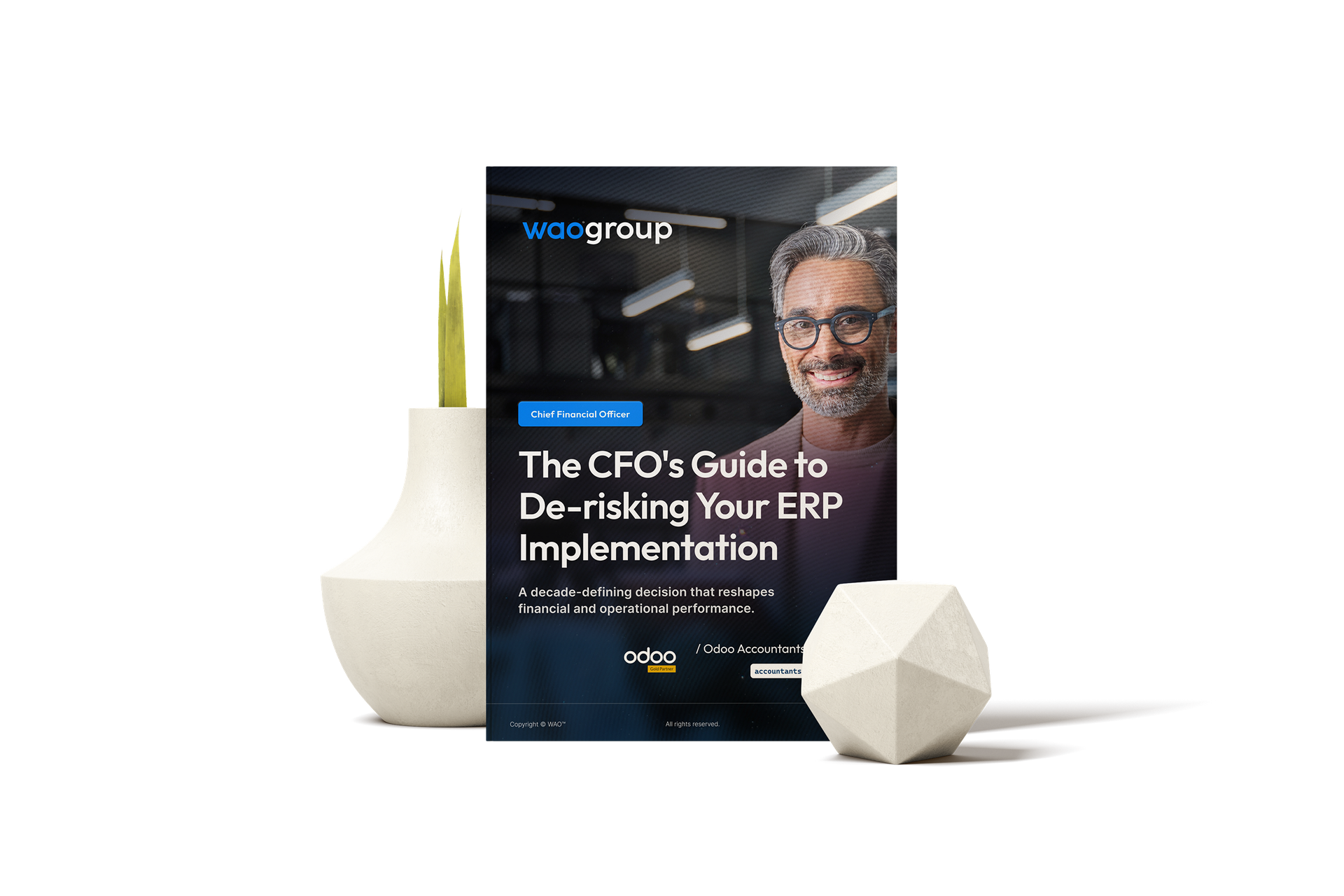
Download: The CFO's Guide to De-risking Your ERP Implementation
Before you invest in any ERP, learn the 5 critical financial mistakes that lead to budget overruns and failed projects. This free guide provides a practical framework for ensuring your next systems project delivers a clear and measurable ROI.
Not ready to talk to us yet? Take the free 5‑minute ERP Readiness Scorecard and see exactly where you stand.