Odoo 20 is here. Odoo launched it at Odoo Experience in Brussels on 24 September 2026, and it is one of the most significant releases in the platform’s history: embedded AI across core workflows, a redesigned mobile interface, and substantial changes to accounting, POS, and services modules. If your business runs on Odoo, or is choosing an ERP now, the question has moved from “what’s coming?” to “when should we move, and what do we check first?” (Updated 19 October 2026.)
Key Takeaways
Odoo launched Odoo 20 on 24 September 2026 at Odoo Experience in Brussels and has published its official Odoo 20 release notes. Here’s what you need to know:
- Odoo 20 deeply embeds AI into accounting, website, helpdesk, timesheets, and record management—moving beyond a simple chatbot to task-level AI agents capable of autonomous execution, and introduces deeper automation across the platform to enhance the automation of complex workflows and processes.
- Features presented for Odoo 20 include an AI accounting audit, new payroll dashboard eliminating work entries, browser-based POS hardware discovery with auto combos, and a purpose-built mobile UI with visible field labels and touch support.
- New tools for AU/NZ businesses include direct payments from Odoo, simplified stock tracking, stronger eCommerce flows, Documents/Knowledge group sharing, and enterprise-grade VOIP callflows.
- Odoo 20 aims to enhance enterprise-scale performance, allowing support for over 10,000 concurrent users through read-replica database technology.
- Alongside Odoo 20, Odoo announced its first price rise in four years and a new, cheaper light-user licence. See our Odoo pricing guide for what it means in Australian dollars.
- WAO, an Odoo Gold Partner in 2025 and 2026 and winner of the Odoo Customer Choice Award ANZ 2026, can help plan upgrades from v17–19, clean customisations, and design a safe upgrade path to Odoo 20.
Odoo 20 Release at a Glance
Odoo presented the Odoo 20 roadmap at Odoo Partner Days on 2 April 2026 and launched Odoo 20 at Odoo Experience 2026 in Brussels on 24 September 2026. As with every major version, existing databases move to Odoo 20 by upgrade, not automatically, and we recommend waiting for the first stable patches before upgrading a production database.
Release Milestone | Status |
Launch at Odoo Experience 2026 | 24 September 2026 (done) |
Official release notes | Published by Odoo (done) |
First stable patches | Typically 4–8 weeks after launch (expected late October to November 2026) |
Odoo continues its annual major-release cadence (v18 in 2024, v19 in 2025, v20 in September 2026) with a focus on being Simple, Efficient, and Affordable. The features described below come from Odoo SA’s roadmap sessions, demos and launch presentations. Check Odoo’s official Odoo 20 release notes for the final scope of each app before you plan around a feature. | _ |
The main functional clusters span AI across workflows, Accounting and Finance, Website/eCommerce/Marketing, POS and Sales, Services and Scheduling, Payroll and Mobile, Sign and Phone, and industry-specific solutions. WAO has translated the roadmap into business language for mid-to-large product companies in Australia and New Zealand.

AI Embedded Across Odoo 20 Workflows
Odoo 20 shifts from a separate “AI app” in v19 to embedded AI in everyday tools. The AI in Odoo 20 is designed to be embedded across workflows, enhancing everyday tasks like accounting, helpdesk operations, and record updates, rather than functioning as a separate AI layer. Odoo 20 aims to reduce friction in daily workflows by embedding AI across various functionalities, making it easier for users to handle tasks without manual intervention.
AI is designed to reduce admin friction: summarising data, proposing actions, and pre-filling records, while still leaving final approval with humans. This contrasts with v19’s mainly chatbot-style AI—Odoo 20’s roadmap shows more agentic AI behaviours including automated audits, data queries, and suggested timesheets. Industry trends are moving toward fully autonomous AI-enabled processes, shifting from passive chatbots to proactive, agentic automation that actively manages tasks within workflows, and Odoo 20 aligns with these trends. Full autonomous maturity will depend on the final release notes.
To get more value from Odoo 20 AI, WAO recommends clean data, clear security rules, and well-defined processes before upgrading.
AI in Accounting, Helpdesk, and Record Management
The AI Accounting Audit agent automatically runs analytical reviews, anomaly detection, bank statement checks, and cash inventory validations—then summarises findings in plain language. This helps Australian SMEs without a full finance team by giving them a “virtual controller” reviewing books each period.
Odoo 20 features an AI assistant that can summarize conversations and draft follow-up replies based on historical ticket solutions, improving helpdesk efficiency. The AI capabilities include natural language queries to summarize ticket complaints and locate specific records across the database.
Odoo 20 introduces AI features that allow for autonomous execution, such as reading Technical Design Document PDFs to automatically build projects with stages and tasks. The AI integration automates routine tasks, such as lead reassignment in CRM based on defined criteria, enhancing operational efficiency.
WAO can help define guardrails, permissions, and workflows so AI suggestions don’t conflict with local compliance or internal controls.
AI in Website, Content, and Timesheets
The AI Website Assistant integrates directly into the page builder for voice-code edits. Tell it to “make the headline punchier,” “add a CTA,” “restructure sections,” or “generate an image of a forklift in a warehouse”—and it executes directly within the editor. Managing website content in one language per page allows for more control and reduces translation errors, as highlighted by industry best practices.
The Timesheet AI Assistant monitors user activity within Odoo and suggests grouped time entries per project, including unmatched activities like emails or code reviews. A global timer widget in the top bar lets users start/stop timers without leaving their current screen.
For professional services firms, construction companies, and manufacturing companies in AU/NZ relying on accurate project costing and billable hours, these accessibility improvements could meaningfully improve timesheet accuracy and completeness.
Website, eCommerce, and Marketing Enhancements
Odoo 20 positions Website, eCommerce, and Marketing as a unified digital customer journey stack rather than separate add-ons. Performance improvements include lighter assets, faster page loads, and better front-end caching to support both SEO and human visitors. Most businesses will benefit from these enhancements through improved efficiency and user experience.
Website Performance, SEO, and Editing
Odoo 20 addresses canonical URL issues and improves redirect handling to avoid duplicate-content penalties. Key SEO improvements include structured data (microdata/JSON-LD), better redirect management, and improved snippets and forms with ARIA-friendly output.
Marketing teams in AU/NZ can manage content themselves without heavy developer dependency, reducing costs versus custom sites. WAO can audit existing Odoo 18/19 websites and plan a v20 re-theme or SEO clean-up as part of an upgrade project.
eCommerce Flows and Marketing Automation
Odoo 20’s eCommerce changes support higher conversion and retention:
Feature | Business Impact |
Portal-based returns | Customers select items and provide return reasons directly |
Automated cross-sell | Cross-sell suggestions appear at checkout automatically |
Standalone catalog pages | Ideal for seasonal campaigns or B2B contract assortments |
Promotion progress bar | Shows customers how close they are to qualifying for promotions |
eCommerce dashboard | Single view for revenue, AOV, conversion rates, returns |
Marketing Automation flows can now combine email, SMS/WhatsApp, AI-generated content, and coupons with Go To/Split/Filter steps. Consider abandoned-cart recovery, replenishment reminders for consumables, or onboarding sequences after large equipment purchases—all without external tools. | _ |
Accounting and Finance in Odoo 20
Odoo 20 continues Odoo’s evolution from v18 (budgeting) and v19 (closing improvements) toward a more complete, compliant, and accessible finance engine for finance teams of all sizes.
Odoo 20 will allow direct vendor payments from the system, enabling users to select vendor bills in batch and authenticate payments with a single digital signature—bypassing XML downloads entirely. The new accounting features include the ability to toggle between tax-inclusive and tax-exclusive pricing on documents, enhancing flexibility in transaction handling.
Odoo 20 introduces reconciliation capabilities for any general ledger account, which will automatically generate automatic adjustment entries for FX differences or revenue deferrals. Support for multiple IDs per contact, including company registry numbers, ensures multi-jurisdiction compliance and seamless integration within accounting and partner management modules. Dynamic prices included/excluded toggles per document round out the flexibility improvements.
A public accounting website will be launched with Odoo 20, providing access to localized charts of accounts, tax rates, and expense deductibility rules for various countries—useful for both accountants and implementers.
Closing the Last Mile in Accounting
Odoo 19 already improved period-end closing and reporting, but left some local compliance and “last mile” processes to workarounds or third parties. Odoo 20’s roadmap shows ongoing expectations around direct government reporting interfaces in some countries—similar patterns may support AU needs with more structured export formats for ATO reporting.
Consider a mid-sized Australian distributor using AI audit plus direct bank payments from Odoo to halve month-end close time. The combination of reconciliation on any account, multiple partner identifiers, and AI-driven “Accounting for non-CFOs” aims to close functional gaps for small teams and growing enterprises alike.
WAO’s accountants and consultants can review chart-of-accounts, tax mappings, and banking workflows before upgrading to v20, supported by dedicated Odoo support and maintenance services.
Forecasting, Compliance, and Reporting
Odoo 20 is expected to build on budgets and closing with improved native financial forecasting views, scenario comparisons, and more proactive cash/expense projections. Forecasts could reuse existing budget views but project forward, enabling rolling 12-month views for revenue, margins, and cash.
Better native forecasting and localisation data reduces reliance on spreadsheets or custom add-ons for many businesses in AU/NZ. WAO’s reporting team can design board-level financial dashboards integrating budgets, forecasts, and AI insights once clients move to v20.
POS, Sales, and Commerce Operations
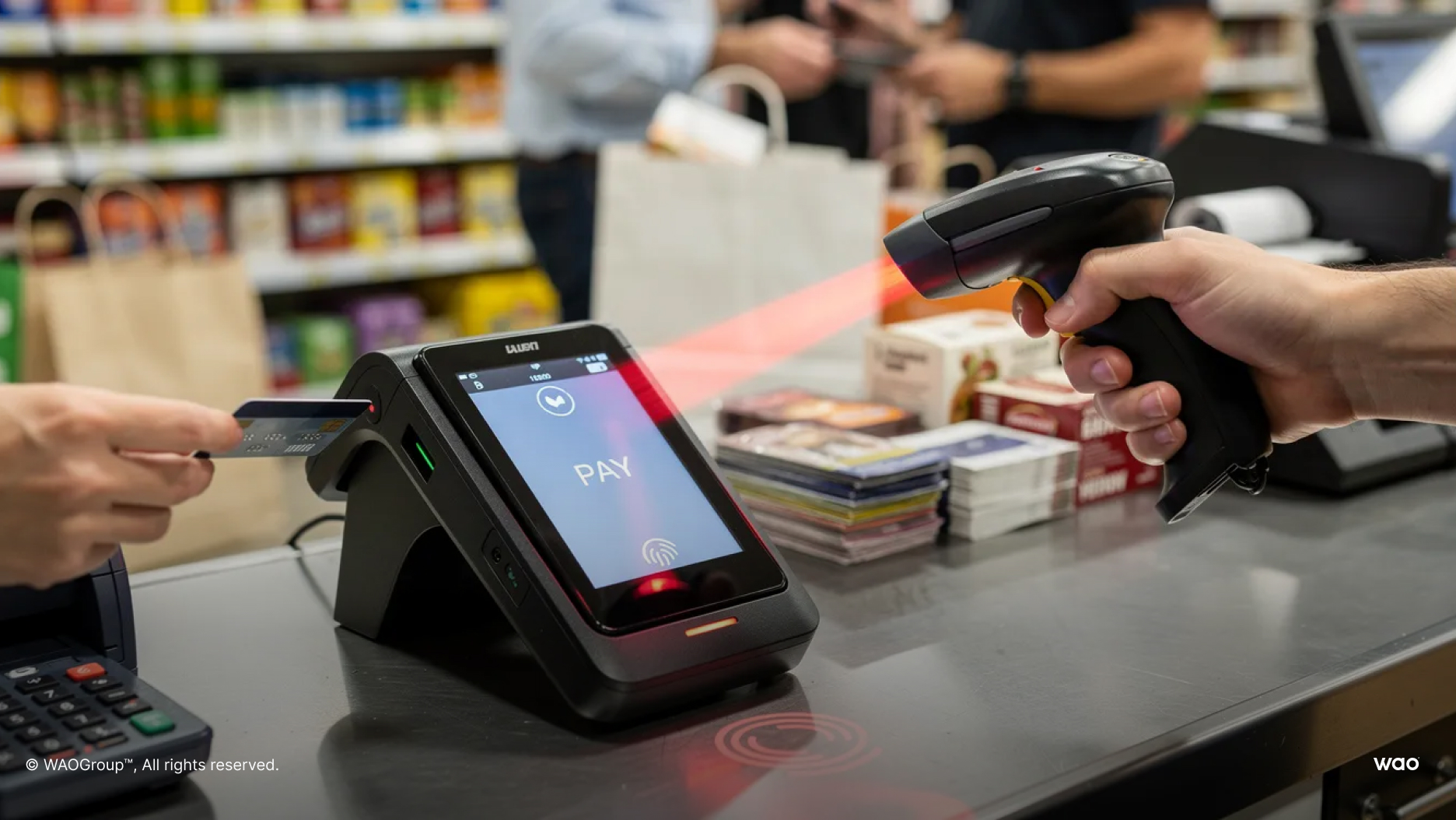
Odoo 20 targets practical improvements for retail, hospitality, and counter-sales environments. Browser-based POS hardware discovery via local network access removes the need for an IoT box in many setups—printers, scanners, and payment terminals connect directly.
POS Setup and Daily Operations
Odoo 20 simplifies POS deployment with direct device discovery over the local network via Chromium-based browsers, no import certificates hassles, and improved support for kiosks and self ordering.
New Usability Features Include:
- Floor plan editing for restaurants.
- Bookings linked directly to POS orders.
- Auto-combo detection when qualifying items are in the cart.
- Snoozed product availability.
Multi-site hospitality operators benefit from centralised menus, pricing, and stock across venues. Performance improvements and reduced browser RAM usage make POS more reliable during peak periods. WAO can run pilot rollouts in one venue before scaling POS v20 across the network.
Sales Configuration, Bundles, and Upsells
Odoo 20 adjusts the logic for price visibility on bundles and sections so quotes present consistent pricing. Roadmap shows moving more bundle price-visibility rules into product configuration, improving upsell consistency.
Improvements include section templates, UoM price rules, unified pricelists for rentals, native frame agreements, and pay-on-invoice options supporting complex commercial agreements. Examples relevant to WAO’s clients: construction suppliers selling project bundles, equipment rentals with add-ons, or healthcare wholesale with volume tiers.
FREE ASSESSMENT
Not sure if you're ERP-ready?
Take the free scorecard ➔
Services, Scheduling, and Productivity
Odoo 20 links time, tasks, resources, and outcomes across Calendar, Projects, Timesheets, field service/Planning, and Appointments.
The Field Service and Planning modules in Odoo 20 will be merged into a unified resource engine, improving efficiency in resource allocation and visibility. Calendar upgrades include multi calendar management, personal booking pages, work-location awareness, and surfacing activities directly inside the calendar view.
Project margin visibility with actual vs projected margin views is critical for project-based businesses in AU/NZ—construction firms, service contractors, manufacturers with install teams, and professional services organisations.
Calendar, Appointments, and Activities
Odoo 20’s calendar now shows both meetings and CRM/other activities via activity plans, providing a single “day view” of work. Personal booking pages let customers book directly into available slots with capacity and recurrence logic.
Calendar synchronisation with external calendars (Google, Outlook) and integration with POS floor plans supports appointment-based hospitality. Consider a field sales rep in New Zealand using booking links and multi-calendar views to manage customer visits efficiently.
Timesheets, Planning, and Field Service
The global timer and AI timesheet assistant link with Planning/Field Service so scheduled work automatically aligns with recorded time. Planning schedules technicians, vehicles, and equipment against tasks, with worksheets and map views carried over from Field Service.
Project margin views combine billable timesheets, purchases, and overhead to show profitability by project. Use cases include construction progress billing, industrial equipment installations, and service contracts. WAO can design standard worksheets and planning templates in v20 for consistent delivery.
Payroll, Mobile, Sign, and Phone Improvements
This cluster covers everyday usability: paying people, working on mobile, getting documents signed, and handling calls inside one platform.
Payroll and Mobile Experience
The payroll dashboard shows pay schedules, pending pay runs, and blockers like missing bank details or expired contracts. Time Off now flows directly into payroll without work entries, reducing administration and errors for AU/NZ employers.
Odoo 20 is expected to feature improved user experience with a redesigned mobile interface that is purpose-built for phones, enhancing usability with visible field labels and touch-friendly design. The interface will include dashboard customization that adapts based on user roles, allowing users to see relevant information without extensive searching.
Key Mobile Improvements:
- Distinct field separators.
- Visible labels without horizontal scrolling.
- Consistent card layouts across modules.
- Larger touch targets.
WAO can map Australian awards or enterprise agreements into Odoo Payroll and validate STP reporting as part of an upgrade project.
Sign Workflows and VOIP Callflows
Automated sign requests can be triggered directly from an activity or activity plan anywhere in Odoo. The “Request Signature” automated action sends NDAs, contracts, or HR documents when records hit specific stages—dynamic signers and fixed signers both supported.
VOIP enhancements include purchasing numbers in 100+ countries, a visual callflow builder with time-of-day routing and queue configurations, and call recordings with searchable transcripts. WAO can configure callflows aligned with Australian time zones, public holidays, and team rosters.

Industry-Specific Solutions in Odoo 20
Odoo 20 continues Odoo’s push into pre-configured industry packages, reducing time-to-value for specific sectors:
Vertical | Key Features |
Hotel+ | Occupancy management, Channex integration, RMS, housekeeping, seasonal pricelists |
Construction | Project quoting, WBS, shopping lists, subcontracting, progress billing |
Recruitment Firm | Talent integration, CRM-to-invoice pipeline, candidate portal |
Additional verticals | Auto Repair, Industrial Equipment, Nursing Homes, Pet Groomer, Community Care |
WAO can localise and extend these verticals for regional requirements (AU/NZ tax, safety, compliance) instead of building from scratch. | _ |
Odoo 20 Is Out: Should You Upgrade Now or Wait?
Odoo 20 was released on 24 September 2026 at Odoo Experience in Brussels. Our advice: wait for the first stable patches before upgrading a production database (typically 4–8 weeks after launch), and confirm that the Australian localisation you rely on, such as payroll, BAS/GST and bank feeds, works as expected in a test copy of your database first.
Before planning your upgrade, it’s crucial to assess your current setup and review key areas of your existing system to identify risks, dependencies, and opportunities for improvement. Heavy customisations, XML-RPC integrations, or legacy front-end code need extra planning because Odoo 20 introduces JSON-2 API and the Owl 3 front-end framework. WAO’s position: roadmap interest should never override real operational urgency.
When Waiting Is Sensible
Waiting is reasonable when:
- Early exploration stage with no current ERP project underway.
- Current tools mostly working without critical pain.
- Strong alignment with Odoo 20 roadmap features like AI, native financial forecasting, or enterprise scalability.
- Time available to clean data, rationalise processes, and review custom modules.
Businesses planning to jump several previous versions (e.g. v15 to v20) should use the waiting period for design and proof-of-concept work. WAO can run an “Odoo Success Blueprint” while clients wait, so requirements are ready for a v20 go-live, drawing on insights shared across the WAO Group Odoo blog.
When Acting on Odoo 18/19 Now Is Better
Acting now makes sense with:
- Fragmented systems or Excel-driven operations.
- Growing compliance risk or rapid scaling.
- Urgent decision making requirements the current system cannot support.
V18/19 are mature, widely deployed, and solve many pain points without waiting. Businesses can implement on v19 with WAO, then plan a relatively straightforward jump to v20 once stable. WAO’s recommended pattern for complex environments: stabilise on v19, simplify custom code, then upgrade to v20 after first patch releases.
WAO’s Odoo 20 Readiness Checklist
WAO offers a 5-phase readiness framework for AU/NZ businesses targeting Odoo 20 between late 2026 and early 2027:
- Understand where you stand – Assess current system and processes.
Get your tech stack ready – Review integrations and infrastructure.
Clean your data – Address quality issues before AI features.
Prepare your team – Plan team training for new workflows.
- Plan go-live – Decide upgrade path and timing.
Preparation for upgrading to Odoo 20 should include reviewing customizations, integrations, and business-critical dependencies to clean up avoidable complexity before the release, especially for organisations aligning on why Odoo is the right ERP platform for their long-term roadmap.
Figure Out Where You Stand Today
Businesses should start preparing for the Odoo 20 upgrade by assessing their current system, cleaning data, and ensuring that their tech stack is ready to support the new features. Perform a full assessment even if not yet on Odoo: inventory of tools, data sources, and critical processes.
For existing Odoo users, review: version, custom modules, third party modules, integrations (including XML-RPC use), and known bottlenecks. Risks often stem from how the system evolved—quick patches, undocumented scripts—rather than the odoo version alone.
Get Your Tech Stack and Integrations Ready
Odoo 20’s adoption of Owl 3 and JSON-2 API impacts how custom front-end code and external integrations are written. Identify which integrations still rely on XML-RPC and plan migrations before the v20 upgrade window, potentially leveraging Odoo custom API integration services for complex scenarios.
Infrastructure considerations: while base server specs don’t materially change, read-replica features and higher user counts may influence architecture choices. Consider AU/NZ-specific integrations: local payment gateways, freight providers, or ATO-related services all need compatibility validation.
Clean Your Data Before You Add More AI
Odoo 20’s AI features depend heavily on data quality, especially for timesheets, accounting module records, CRM, and inventory management.
Concrete actions:
Deduplicate customers and suppliers.
Close obsolete products.
Reconcile old balances.
Standardise naming conventions.
Poor data produces misleading AI audits, bad cross-sell suggestions, and inaccurate forecasts. WAO supports running data-cleansing projects and trial imports in a staging environment ahead of v20.
Prepare Your Team for AI- and Mobile-First Workflows
People need to trust AI suggestions, new mobile views, and automated signatures rather than old manual routines. Target training on: AI in Accounting and Timesheets, Website AI editor, Calendar and Planning changes, and the new mobile interface.
Roles may shift—finance staff spending more time on review/analysis than data entry. WAO runs role-based training (finance, operations, sales, warehouse, HR) as part of implementation and upgrade projects, delivered in line with the WAO Way of guided Odoo implementation. Pilot features with a small group before company-wide rollout.
Plan the Go-Live and Decide: Upgrade or Start Fresh
Choose between an in-place upgrade and a “start fresh” reimplementation with selective data migration:
Upgrade-friendly conditions:
On v18/19 with maintained custom modules.
Data relatively clean.
Users comfortable with current design.
“Start fresh” indicators:
Three or more versions behind.
Extensive legacy customisations.
Significant business model change.
WAO typically recommends scheduling production upgrades after the first stable patch and running parallel operations for 1–2 weeks.
How WAO Delivers Odoo 20 Projects
WAO was an Odoo Gold Partner in 2025 and 2026 and won the Odoo Customer Choice Award ANZ 2026, with over 10 years delivering software implementations and Odoo-only since 2020. With 60+ client references on Odoo’s partner directory, 10+ Odoo-certified experts and a 35-person team, WAO covers end-to-end needs: requirements, solution design, development, data migration, training, go-live support, and continuous improvement.
Odoo Success Blueprint (Scoping and Proof of Concept)
The Blueprint is a fixed-price, time-boxed engagement to gather requirements, map processes, and prototype critical core workflows in Odoo. It includes workshops with finance, operations, sales, warehouse, and management; system walkthroughs; and a prioritised implementation roadmap.
For Odoo 20, the Blueprint can test AI scenarios, website changes, and new POS or Planning features in a safe sandbox. Deliverables include documented scope, solution architecture outline, risk register, and phased implementation plan.
Implementation, Upgrade, and Ongoing Support
WAO’s agile implementation method uses 2-week sprints with regular demos and tight feedback loops. For upgrades to Odoo 20, WAO handles database migration, module compatibility, regression testing, and phased feature rollouts with independent translations where needed as part of its broader tailored Odoo implementation and upgrade services.
Support is available on an ad-hoc, no-lock-in basis—ideal for mid-sized businesses wanting flexibility. WAO also helps clients manage multiple subscriptions and enterprise editions across growing organisations, and teams can contact WAO’s Odoo consultants to scope the right level of support.
Contact WAO: waogroup.com.au | Australia, New Zealand, Pacific Islands
FAQ: Odoo Version 20 and WAO
Yes. As with previous versions, Odoo 20 comes in Community and Enterprise editions, and most of the advanced AI, accounting and industry features sit in Enterprise. Businesses already on Enterprise should plan their upgrade with their partner; Community users should check Odoo’s Odoo 20 release notes for which features are Enterprise-only.
While Odoo’s global roadmap highlights core engine features, local payroll, tax, and banking specifics (AU payroll, GST, NZ GST) may lag the main release by weeks or months. WAO tracks AU/NZ localisation status closely for each new odoo version and typically recommends going live only once critical localisation features are stable. Validate payroll, BAS/GST, bank feeds, and local payment flows with WAO before committing to a v20 go-live date.
Odoo 20 keeps XML-RPC in legacy mode but directs new development toward the JSON-2 API, with XML-RPC scheduled for removal in a later major version (currently planned for v22). Treat the v20 upgrade as the ideal time to inventory all XML-RPC integrations and plan a staggered migration. WAO can refactor or replace legacy integrations and test them in a v20 staging environment before touching production, and businesses can contact WAO to plan XML-RPC migration work alongside their upgrade.
For a single-version move with light customisation, expect 4–8 weeks from assessment to cutover. For older or heavily customised systems, several months including cleanup and redesign is realistic. Timelines depend on scope—custom code, data quality, integrations, team training—rather than the next version number itself. WAO’s Odoo Success Blueprint produces a tailored estimate and upgrade plan for each client.
Now that Odoo 20 is released, most new implementations starting from late 2026 can plan to go live on v20, once the first stable patches have landed and the Australian localisation you need has been tested. If you have pressing operational issues and need to go live within weeks, v19 is mature and the upgrade to v20 can follow. WAO can evaluate both options, factoring in business urgency, internal change capacity, and appetite for early-adopter features.
Disclaimer: This article is based on Odoo’s Odoo 20 roadmap presentations and launch announcements (24 September 2026). Feature scope can differ by edition and hosting, and Odoo may change features in later updates; check Odoo’s official Odoo 20 release notes before relying on a specific feature. WAO Group makes no guarantees regarding the availability of any specific feature.
GET STARTED
Ready to talk to an Odoo expert?
Book a free consultation ➔
The information and tips shared on this blog are meant to be used as learning and personal development tools as you launch, run and grow your business. While a good place to start, these articles should not take the place of personalised advice from professionals. As our lawyers would say: “All content on WAO’s blog is intended for informational purposes only. It should not be considered legal or financial advice.” Additionally, WAO is the legal copyright holder of all materials on the blog, and others cannot re-use or publish it without our written consent.