Odoo Roadshow · Newcastle · August 2026
The Odoo partner panel: Odoo, WAO Group and AJ Wilson
The full partner panel from the Odoo Roadshow in Newcastle. Corey, a partner manager at Odoo, Jeri Wambeek, co-founder of WAO Group, and Belinda Wilson of AJ Wilson, a food service distributor in Forster, talk through how Odoo’s partner channel works, proving Odoo before you commit, keeping or leaving Xero, customisation, a fully remote go-live, reporting and AI, and questions from the audience.
Watch · 51:07
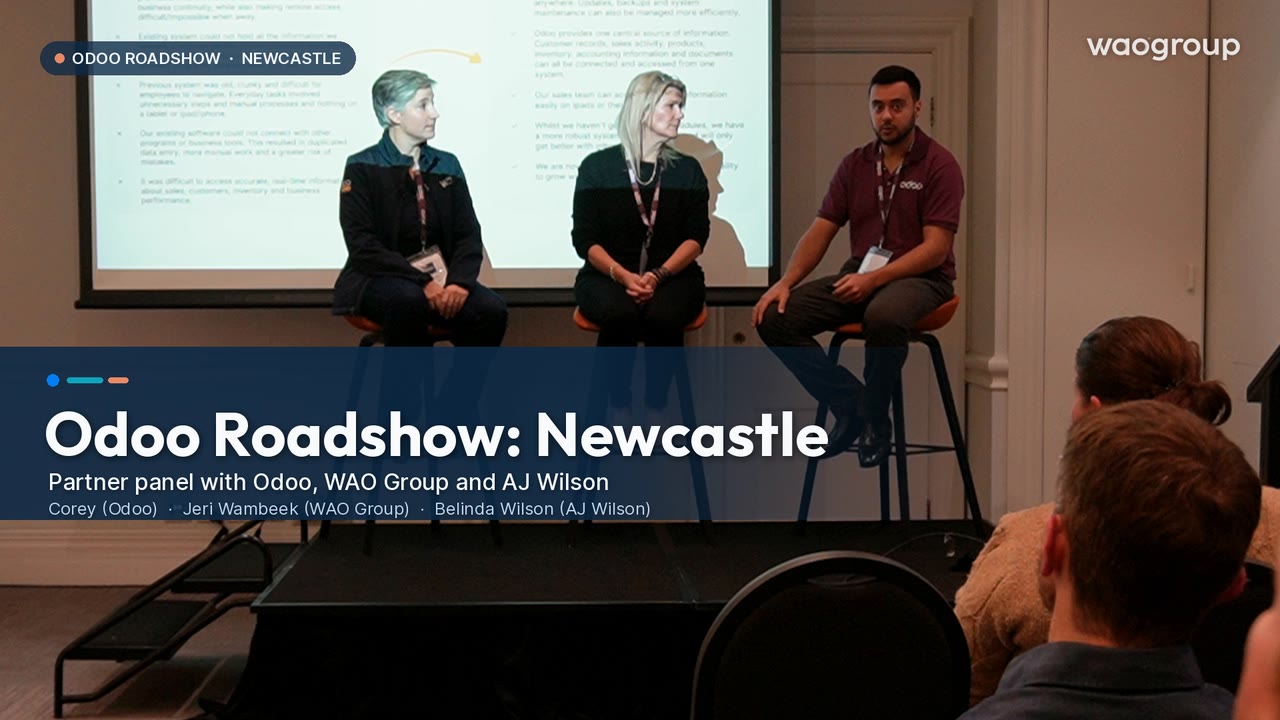 51:07
51:07Chapters
Pick a chapter to play the panel from that point.
- 0:00Odoo’s two channels: direct and partner
- 2:22Linked RFQs and supplier pricing
- 4:49Several brands, one company: branches and analytic accounts
- 6:00Getting past the fear of change
- 8:14Two go-lives at once
- 9:17Proof of concept before you commit
- 13:33Start small and grow into Odoo
- 15:40Accurate stock, expiry dates and FIFO
- 17:08From Which Add On to Odoo
- 18:57Keep Xero, or move to Odoo accounting?
- 21:33Aftercare and support
- 23:38A fully remote implementation
- 24:27Before you go live: clean data and user testing
- 25:37A day in Odoo at AJ Wilson
- 28:44To customise or not to customise
- 31:21Reporting, dashboards and AI
- 33:34Favourite Odoo features
- 36:09Audience Q&A
- 48:46Odoo 19, or wait for version 20?
Transcript
Full transcript
Edited lightly for reading: false starts and repeated words are removed, and audience questions, which the microphones did not pick up clearly, are summarised. Speaker names in the Q&A are as best we could tell from the recording.
0:00Odoo’s two channels: direct and partner
Corey (Odoo): There are basically two channels at Odoo. You just heard from Derek, who is an expert in Odoo’s direct channel, where we implement your system for you ourselves. But there’s a separate channel, called the indirect channel, and that’s partner-driven: the service delivery is carried out by a business partner like WAO Group, who are here with us today. Some of you have already asked about Xero and other software, and about customisation and EDI. That needs a business with the capability, the expertise and the resources to get on site, work with you, figure it out and solve that puzzle: to build an architecture that keeps the things you absolutely can’t get rid of, and lays the foundation for everything else, with Odoo as the backbone.
Corey (Odoo): If I haven’t already said so, I’m Corey. I’m a partner manager, so my role is very similar to Derek’s, selling and explaining what Odoo is, but I also manage some key partners. One of them, Jeri, is here today, with a customer from AJ Wilson. Would you like to introduce yourselves?
Jeri Wambeek (WAO Group): Hi everyone, I’m Jeri. We’re a partner servicing Australia, New Zealand and the Pacific Islands. I live up in Port Macquarie, so it was a couple of hours to get down here today, but we have staff in Sydney and Brisbane as well. Our business helps people move to Odoo. As Corey mentioned, that might involve integrations or customisations, but mostly it’s helping you through the implementation process. Some of our customers are here today, so it’s great to see some familiar faces. I’ll talk more about our experience as we go.
Belinda Wilson (AJ Wilson): I’m Belinda, from AJ Wilson in Forster. We’re a food service distribution business. We’ve been working with Jeri for almost ten months now, and we’re a very happy Odoo customer.
Corey (Odoo): That’s good, that’s why we’re here. For the next 20 minutes or so we’ll talk about how this all got started and where things are now, and hopefully circle back to some of the questions from Derek’s session.
2:22Linked RFQs and supplier pricing
Corey (Odoo): One thing I made a mental note of while Derek was talking: someone asked about managing a lot of different suppliers. From a functional perspective, Odoo lets you create what we call linked RFQs. You may have different price lists set up with your vendors, based on their catalogues. If you link existing RFQs into one purchase order, you get an analysis screen that shows who your best price per unit supplier is. You can then cancel the RFQs that aren’t as good on price or delivery time, select your preferred supplier for each line, and confirm the purchase order the same way Derek showed you. Maybe you can speak to how that looks in practice.
Jeri Wambeek (WAO Group): The most fundamental piece is that one product can have multiple vendors, and each vendor can have multiple prices. Some of those may be old prices with a start and end date, so you keep a price history. The other reason you’d have several prices for one vendor is volume-based pricing: buy 10 or buy 30 and you pay less.
Corey (Odoo): And you can do that on the supplier side.
Jeri Wambeek (WAO Group): Yes, on the supplier side and on the customer price list side as well. Whichever vendor is at the top of the purchase tab is your default vendor. When you run automatic replenishment to buy up to your min/max levels, it uses your default vendor, but you can switch it on a particular purchase order if you want to.
Belinda Wilson (AJ Wilson): We do exactly that. Sometimes we have a minimum order from one supplier, and either we don’t need another delivery from them or another supplier has a special. It’s not for all our products, but for a handful there are a few different suppliers we order from, and it’s driven by price.
4:49Several brands, one company: branches and analytic accounts
Jeri Wambeek (WAO Group): Before we move on, there’s one more question from Derek’s session I wanted to answer. I think it was the irrigation company that talked about having several businesses under the same ABN. There are two more things you can do. You can have one head company and, within Odoo, set up branches, so each branch is one of your brands, with its own P&L. Whether that’s the right structure depends on how much trading happens between them; there are pros and cons to branches. You can also use analytic accounts, which work like cost centres, so each brand gets its own analytic account and its own P&L. It’s something we can help you analyse, but I wanted you to know those two layers exist. It’s definitely possible.
6:00Getting past the fear of change
Corey (Odoo): I have a question I ask pretty much every time. Everybody is a little averse to change, and it can be hard to imagine how you’d operate in a new system. You’ve obviously overcome that, because you’re using Odoo now, and point three on the screen says the previous system was old and clunky: a Frankenstack, as Derek put it. So, two parts. First, how has Odoo improved your day to day and reduced the double handling? And second, how long did it take to adapt?
Belinda Wilson (AJ Wilson): Change is absolutely hard, and it can be hard to get your team on board. Our Frankenstack was definitely old and clunky, for lack of kinder words. For us, the dashboard is something we’d never had: one screen that you can get so much information out of. It sounds basic, but we used to go into three or four different screens to get that information. So that has been next level for us. We went live on the 1st of June. We were going to go live on the 1st of May, but other things delayed it. We’re three months in and we’ve adopted it really well, to the point we’re looking at what else we can implement before our busy Christmas period. We’re very comfortable with what we’re using, and for three months in, I think that’s pretty good. Our last system took a good six months, and even then none of us got the right information out of it.
8:14Two go-lives at once
Jeri Wambeek (WAO Group): Do you want to explain that you moved to an online ordering system that integrated with Odoo at the same time?
Belinda Wilson (AJ Wilson): Yes, 100%. As a food service business, we were adopting a countrywide online ordering system at the same time. We either had to go live with both at once, or the change for customers would have meant lost opportunities and lost sales. There was some pre-work, but the way the two companies and our own team worked together gelled very well. It was amazing how well everybody worked together, and how on time it was. It was a month delayed, but for other reasons, not because of either company. It was fantastic.
9:17Proof of concept before you commit
Corey (Odoo): Another thing I wanted to raise, partly because you asked about projects: the system can be very big. That can feel daunting, or exciting, or make you want everything right now. It’s important to do your due diligence before you get into it, because it has a much bigger impact on your adoption and your ROI than you’d think. So my question: how important was working together beforehand to define what the standard operating procedures and the database would look like?
Jeri Wambeek (WAO Group): Part of the process we take clients through, first of all, is working out whether Odoo is right for you. We don’t just expect you to know it because we say it’s right, or because you saw a demo. We prove it to you. We take you through a process where we understand your business. Neil, who’s here with us today, is one of our solutions architects. He’ll learn what your business is like, what your pain points and processes are, and then take you through the system with your sample data in it, set up for you, and show you exactly how it’s going to work. So you decide how Odoo will work for your business after you’ve seen what it looks like inside your business.
Jeri Wambeek (WAO Group): That process is as much about us getting to know you, so we can give clear advice on how to implement the system, what training you’ll need and how to manage the change, as it is about you getting confident in Odoo. It’s also about understanding how to work with a partner. With some apps, like CRM or Helpdesk, you’ll think, great, I can start using that today, I just need help with the data migration off MYOB or Xero or my project management system. Other things need more help. So to answer your question about change: the key is that your business as a whole makes the choice to move to Odoo by understanding your processes, because there’s a lot to learn, particularly if you take a lot of apps at once. We encourage people to take it in stages. Belinda took a few apps first, and now she’s coming back for more, but she wanted to get the team on board first. Do you want to talk about the process you went through with us?
Belinda Wilson (AJ Wilson): We worked with Neil so he understood what we do every day and how it works in our warehouse. We didn’t want to change too much of what we thought was best practice in our warehouse. Short of him coming up and spending a week with us, it was about being really transparent about our processes: how we pick, how we pack, what our pick slips look like, how it looks to the customer. We wanted all of that emulated in Odoo. We wanted all the apps, all the bells and whistles at the start, but it was a case of: this is what you currently do, how about we build on that first? They took the data we gave them and presented it back to us. It was mostly finessing what we were doing, with everything in one or two screens. Seeing our own data come back at us in Odoo was amazing. You could see the efficiency. It made sense, and it was a lot slicker than what we’d had.
13:33Start small and grow into Odoo
Jeri Wambeek (WAO Group): The other thing I’ll add is that there are many ways to do things in Odoo. Take manufacturing. It can start with one bill of materials, tracking the inventory the way you might with the build function in MYOB or the bill of materials in DEAR Inventory. Very basic. But Odoo can go all the way to the shop floor, with an iPad on each workstation and start and stop timers. You can have multiple bills of materials and engineering change requests in the PLM app. Quality management. None of that has to be used straight away; you can start with manufacturing and add quality later. There are lots of layers. So the process we take people through first is working out which parts of Odoo you actually need. Sometimes people want the whole wish list shown to them, and then we help define what makes sense to move to first.
Corey (Odoo): I was doing a demo today, before I came here, for a fabrication business. They design and build in-house, then take the item to site and install it. So there’s a two-pronged service, with bills of materials and everything else going on at the same time. The system knows it can’t commit to performing the installation because it’s still waiting for the product to be built and delivered. That kind of layering and logic is very handy.
Corey (Odoo): I wanted to build on that, because there’s a point on the screen right now: you haven’t got many Odoo apps yet. That’s actually a good thing, because it leads to my question. The system has taken out the difficulty and the manual handling, and you have a single source of truth that’s easy to access. How much confidence has that given you that you can grow into the system, without reassessing your software or worrying whether a new app will work when you plug it in?
15:40Accurate stock, expiry dates and FIFO
Belinda Wilson (AJ Wilson): We did a stocktake after we implemented the system, around the 30th of June, for the accountants. The expiry dates, the counts, the accuracy of the data we have now is amazing. We use first in, first out. The level of detail means we can’t oversell something that doesn’t exist; we can’t sell 30 of something when we only have two. As for apps, I’ve clicked on a lot of things: email marketing, CRM, Documents. So we’ve started doing some things in the background, without taking anything away from the core apps we use every day. If anything, it’s made life easier. With Documents, instead of everybody going out to Google Drive to find something, it’s right there. Our reps on the road can see everything in live data: what we’ve just sold and what’s on hand now. We’ve cut down on phone calls, we’re more efficient on the road, we’re seeing more customers and making more sales.
17:08From Which Add On to Odoo
Jeri Wambeek (WAO Group): Can I add something here? A bit of background on our company: the WAO in our name used to stand for Which Add On. My husband and I founded the company eleven years ago, and we’re accountants by trade. We were helping people move to the cloud, move to Xero, and then work out which add-ons they’d need to connect to Xero to make it do more than accounting. So we were implementing DEAR Inventory, now Cin7 Core, Cin7, TradeGecko, Unleashed, MRPeasy. We were inventory, manufacturing, retail and ecommerce specialists: anything to do with product-based businesses in the Xero world.
Jeri Wambeek (WAO Group): The reason we moved into Odoo is that we had people outgrowing Xero. Businesses in the Xero ecosystem were either going to outgrow it on transaction volume, with so many transactions that Xero started falling over, or they’d have five apps and come to us wanting a CRM, or job profitability, or email marketing. No matter how many add-ons we put together, you couldn’t integrate them the way you wanted, and you’d have too many systems to manage in too many places. I came across Odoo by accident, because we lost a few multi-company sales to people who were looking at Odoo. In the Xero world, if you have three companies, you need three Xero files, three inventory files and three CRM systems, and that ends up costing a lot. In Odoo, as you’ve heard today, you can have one subscription. It doesn’t matter how many apps you use; you pay for users.
18:57Keep Xero, or move to Odoo accounting?
Jeri Wambeek (WAO Group): Back to the accounting piece, because we came from the Xero world. One of the choices you made was to use Odoo accounting instead of staying on Xero. You can connect Odoo to Xero and use Odoo like a big add-on. We’ve enabled that, because we know Xero is great, but we prefer people to have it all in one, and not everybody is ready for that. Odoo has localised a lot over the last three or four years, and it’s now possible to move fully to Odoo accounting and get the same functionality you have in Xero and MYOB. Before that it wasn’t as good, but now it is. Sometimes people aren’t ready to move off Xero, or their accountant doesn’t want to. So you can connect Odoo to Xero, or convert your data from Xero into Odoo with our conversion tools, so you bring the transaction history across and it feels like you’ve been on Odoo the whole time. You moved to Odoo accounting through that process. Can you talk about it: the good things about having it all in one place, and the challenges, because that’s a change in itself?
Belinda Wilson (AJ Wilson): We were using Xero, but we were also using our old system, and they didn’t talk to each other, because of the old, clunky Frankenstack. There was no single source of truth. I spent more time on accounting, because at BAS time or end of financial year there was a lot of manual handling to decipher. Now, I couldn’t even tell you the last time I went into Xero. Maybe in July. In accounting, the invoices go out seamlessly. Customer statements are seamless. Supplier payments, ABA files, everything feels easier than it did with Xero. I didn’t use all of Xero, as I said, because I used the old program too, but having one single source of truth gives us a better picture every single day. We know there’s no “have we uploaded this file?” It’s all in there. That’s probably one of the major things we noticed straight away. We didn’t have to wait months; it was day two. Fantastic.
21:33Aftercare and support
Corey (Odoo): I want to touch on aftercare as well. We’re in a bit of a pitch room right now, so it’s important to talk about what actually happens after the fact. We’re the software provider, so we have in-house, local customer success teams for both of the sales channels I mentioned. They look after product-related things, subscriptions and some commercial matters. On the service side, the partner also manages aftercare, from a functional and implementation point of view. You’re both welcome to answer, but Belinda, I’m sure you’ve dealt with our customer success team, and with WAO Group on aftercare. How has that made life easier and brought some stability to the operation?
Belinda Wilson (AJ Wilson): We’ve never felt like we’ve been thrown in the deep end. We’ve had hand-holding, and there’s been a process from start to finish: from the data sheets at the very beginning to even a couple of weeks ago, there’s still a point of contact if we need it. There’s still that support when we ask, am I doing this right? One of the guys in the team, the go-to person for our whole implementation, always said: you need clean data, and you need to get it right from the beginning, otherwise it’s a lot to undo. So we’ve made sure we haven’t run too far in one direction. He’s been fantastic at keeping us on track. We’ve felt like we’ve been part of the team, and he’s been part of our team more than anything. It’s not “okay, go live, see you, bye, good luck with it.” It’s: this is what we’re going to do next, after go-live. That transition and migration piece was, and still is, amazing.
23:38A fully remote implementation
Jeri Wambeek (WAO Group): Something to be clear about too: although I live in Port Macquarie and Belinda lives in Forster, we had never met in person before today, and she’s never met any of our team in person either. Many of our jobs we do remotely, with teams all over that support them. We do, of course, work on site: Neil and I travel a lot, particularly into manufacturing warehouses to understand the processes when we need to. But we did this entire implementation remotely. So change management and support can be done remotely or on site.
24:27Before you go live: clean data and user testing
Jeri Wambeek (WAO Group): The most important thing, which we talked about in Sydney a couple of days ago, is implementation success, and it starts with the proof of concept, which helps with a lot of the change. Some of you will have been through an implementation before, and you know how important it is to manage the change. You don’t implement Odoo in a weekend. One app, maybe, but there’s a lot of change, particularly if you have a number of staff learning different things. Make sure your data is clean: rubbish in, rubbish out. Very good advice. And make sure you do user acceptance testing. Get your team into the system, learning how to use it, and get their feedback. Not the entire team if it’s a large one, but identify key champions in different areas who have the time to give feedback, so everybody learns the system before going live. They won’t be experts, and they’ll learn a lot more once they’re in there, but do the user acceptance testing and the training, because if you skip it, the implementation is much harder once you go live.
25:37A day in Odoo at AJ Wilson
Corey (Odoo): A quick question about actual usage. Could you walk us through one of your most common day-to-day workflows and how it looks now in Odoo?
Belinda Wilson (AJ Wilson): Most of our customers order online, and that flows into Odoo, which is our single source of truth. We key some customers’ orders manually. Once orders are in Odoo, we click on the delivery areas we’re going to, press one button, and the pick slips print. We didn’t have that before. The orders are then picked, packed and checked in the warehouse. We could bulk print invoices, but that’s not how our office works; we double-check that certain customers have ordered on certain days. So we probably don’t invoice quite the way Odoo would like, but it’s easy for us. Invoices are emailed to customers automatically, straight away. We still print invoices because that’s what our customers are used to, but they get the email immediately, so if they’ve seen the invoice and haven’t ordered enough, they can ask us to add something on.
Belinda Wilson (AJ Wilson): When the delivery drivers come back, any credits are done straight away and go back to the customer. That was a lot clunkier in our previous program. If we want to run a special or a promotion, or change prices, we can now do that; we couldn’t before. We can do spot stock checks. We’ve set up a perishables list the sales team can go into, and a fresh meat section in inventory, so we’ve built a lot of shortcuts for our team. Before, that would have taken one of our sales team a day off the road to come into the office. There’s probably more, but we’re three months in, and the past is the past. We’re not going back.
Corey (Odoo): I’d assume there haven’t been any issues raising a credit note, creating a back order, or dealing with returns?
Belinda Wilson (AJ Wilson): No issues at all.
Corey (Odoo): And FIFO with food?
Belinda Wilson (AJ Wilson): Not a problem. Tracked by date.
28:44To customise or not to customise
Jeri Wambeek (WAO Group): Something I wanted to mention, one of our philosophies at WAO, and Odoo’s too: Odoo is a customisable system. You can customise it to suit your workflows. If there are fields in your current system, you can add them in Odoo. It’s not like Xero or DEAR Inventory, where in most cases you can’t add fields. That’s both a blessing and a curse, because the more you customise, the more it costs to manage your system. When you upgrade, you don’t just upgrade the base system; you have to upgrade the customisations as well. I could talk all day about this. But first of all: don’t customise unless it’s going to make you money or save you money. If you go through the proof of concept and feel you need to customise something, make sure it’s going to save you money or make you money, and that you’re not doing it just to keep your current process. Belinda, you took my advice and didn’t customise much.
Belinda Wilson (AJ Wilson): A little bit, not much.
Jeri Wambeek (WAO Group): So how hard was it not to customise, when you knew you could?
Belinda Wilson (AJ Wilson): Our pricing tiers were probably the biggest challenge, and that’s mostly what we customised. We tier our customers, and on top of that we have custom pricing within those tiers. It’s probably still not the best way we could be doing it, but it’s what we were used to, it’s what our customers were used to, and it helped with the change management. Would we do it like that again? Yes, absolutely. It worked for our business, and we didn’t feel the standard pricing structure was what we wanted. And because it’s in there, it’s easy to run a report on and easy to see where we need to tweak and change, based on supplier increases and so on.
31:21Reporting, dashboards and AI
Jeri Wambeek (WAO Group): On reporting, because it’s come up a bit today, I want to highlight something we’re working on at WAO, which ties into what Derek said about AI. Reporting in Odoo has improved immensely since version 16. A new version comes out every year: in version 16 reporting was almost non-existent, version 17 had a bit more, version 18 more again, and version 20 is due next month. Reporting has generally been modular: for sales reports you go to the Sales app, for accounting reports you go to Accounting. In the past we had to build dashboards on top of Odoo to bring information from several apps into one place.
Jeri Wambeek (WAO Group): Now with AI, and this is something we haven’t released yet because we’ve been testing it in the background, there’s something called an MCP server that you can connect. Think of it as making your Odoo database available to your AI, whether that’s Claude or ChatGPT. You can then type into Claude, ask questions, or say “please create a dashboard about this”, and it can draw on all of that information. That’s possible now in version 19. We’ve been testing it in our team; it’s only been available for a little while, and we came across it a couple of months ago, but we’ve been testing it on ourselves. It’s one of the more advanced things you can do: create your own dashboards and your own information without having to customise. We’re always trying to stay ahead of what Odoo is capable of and what AI is capable of, and because all the information is in one place, you can create those things easily, compared with multiple systems.
33:34Favourite Odoo features
Corey (Odoo): I’ll make it an easy one. What’s your favourite functional app so far?
Belinda Wilson (AJ Wilson): There are too many. I’m a bit obsessed with the accounting at the moment. But to be honest, sales and products: the information we can get out of inventory, whether it’s an expiry date or the actual stock on hand, and being able to slice and dice that. I think that would be my answer.
Jeri Wambeek (WAO Group): I love anything to do with inventory. Although I’m an accountant, I love everything to do with inventory. I recently did a demo for a business with 300 parts in a bill of materials, six levels deep. I asked them for their sample information and imported all their data; you can import a bill of materials that big once your products are in. Then, when you sell that item, Odoo replenishes the order: it creates the manufacturing order straight away, with work orders across the various workstations, and the child manufacturing orders for all six levels of the bill of materials. If your delivery date is ten weeks out, it works backwards from that date to when you need to start manufacturing to hit it.
Jeri Wambeek (WAO Group): And when you open the manufacturing order and click Overview, it gives you a full summary of the cost before you even start, plus a clear list of what’s available, what’s not, and what you need to order. With one click you can tell what it’s going to cost you, including labour and operation time, and what’s coming in and when it’s expected. Green is good, red is bad. That’s my favourite function, and not just to show people. It just works.
Corey (Odoo): For me it’s probably the profitability dashboards, and analytic accounts, where everything talks to each other. If you want micro detail, with budgets tracking against actual costs, time and materials, analytic accounts are the place to be. It’s worth asking Neil to show you.
36:09Audience Q&A
Corey (Odoo): I think we’ll get into questions now, so we can all have a drink.
Question about standard Odoo versus customisation: did AJ Wilson have to change its processes much, as distinct from the system?
Belinda Wilson (AJ Wilson): Not really, and that’s why we did the customisation: so the processes didn’t change too much. The change was always going to be with our sales team and our office team. We wanted to keep the warehouse off limits, so it was somewhat protected. The way we pick and pack stayed the same, ambient, chilled and frozen, so the efficiencies were there, with everything in its warehouse location. It wasn’t out-of-the-box Odoo; there was a tweak we needed there, and pricing was the other tweak.
Jeri Wambeek (WAO Group): Compared with what other people do, though, your customisations were very minimal.
Belinda Wilson (AJ Wilson): Probably, yes. Very minimal.
Jeri Wambeek (WAO Group): Whether to customise is a decision we help you make through the proof of concept. There are so many layers to the way Odoo can do things. What you’re describing in the warehouse is fairly basic functionality, because your team weren’t ready for the advanced paperless versions. There are many ways to do inventory and many ways to do manufacturing; it’s about finding the best way, and how much change your team can actually handle. In our proof of concept we write down every function you want and tell you: this is standard, and this is what it looks like; this is custom, because we can’t find a way to do it the way you want, and this is how we’d suggest customising it. Then you decide whether it’s worth spending on the customisation because it will make you money or save you money, or whether everybody can get used to the standard way.
Corey (Odoo): Odoo isn’t a bad system to align with, if you can. We release a new version every year, and the R&D behind each release comes from you: people using the system, people implementing it, people commenting in the forums, our own developers, and what different industries are doing. So, generally, version 20 will reflect what the market wants as standard. Sometimes it’s non-negotiable to customise or integrate. But if you have the capacity to align a little, it makes your life much easier in the long term.
Question about field service: do technicians have access in the app, and can they invoice on the spot?
Corey (Odoo): Either way. The simple functional answer is that it’s mobile-supported. Depending on their user rights, a field service technician can log in and start a timer on the tasks assigned to them, whether or not there’s an internet connection, and it resynchronises when they reconnect. If there’s a worksheet to sign off, a site inspection for example, that’s fully supported too. It tracks against the individual task, or as a contribution to a project.
Question for Belinda: does your website send orders into Odoo?
Belinda Wilson (AJ Wilson): No, we don’t take orders from the website. We’re part of a countrywide buying group, and they’ve adopted an ordering app, with other suppliers’ pricing attached. We take orders from that, and they come into Odoo.
Corey (Odoo): Like a personalised B2B portal for the industry.
Question: can an ecommerce website show the stock you have on hand?
Jeri Wambeek (WAO Group): Yes. We can connect to Shopify, Magento and WooCommerce, the most common ones. With each, you pull in the orders and sync stock levels back, as well as fulfilment. The connector is an app you buy on the Odoo App Store, not a native integration Odoo has built, and we install it in your database. So in a sense it’s a customisation, because you’re adding custom code into Odoo. Then you connect it to your website and the information syncs. You buy the app again for each upgrade, and generally you’d upgrade at least every three years.
Question: some of our vendors have restricted shipping conditions. Would that need a custom module, and how does it affect upgrades?
Jeri Wambeek (WAO Group): There are shipping method calculators built in. But stopping a customer at a certain point because of their delivery address, say removing the add-to-cart button for certain postcodes, would be a customisation of the Odoo website. It’s possible, and we can talk about it more afterwards. To cover a few things: you can run Odoo as an ecommerce website anyone can see, as a B2B portal that only logged-in customers can see, or connect it to external websites. You can have all of them if you want. On upgrades: upgrading the base system itself isn’t too hard, but each customisation has to be checked to make sure it hasn’t broken in the upgrade. That’s what makes it more costly each time.
Corey (Odoo): To add to that, a safe way to do it is the Odoo.sh hosting platform, which is worth talking about later. Think of it as a hybrid between cloud-hosted SaaS and a fully self-supported on-premise environment. You get staging branches, where you test how upgrades and your customisations behave in a new version before you commit them to production. So it’s not affecting your business day to day; it happens in the background while you keep operating.
Question: can a product be shown on the website without a price to the public, with the price visible once a customer logs in?
Jeri Wambeek (WAO Group): Do you want that on all products, or just some? Certain products? We’d have to check whether you can do it on some and not all. Neil knows the answer, so talk to Neil afterwards.
Comment from an Odoo user: we did a lot of customisations because we were used to doing things a certain way, and as we look at version 19 we’re asking whether we actually need them.
Jeri Wambeek (WAO Group): Sometimes, once you get into the detail, you will customise, if it’s going to save you money or make you money, or it’s non-negotiable. But almost everybody gets to the point, two or three years later, where Odoo has built that feature, and the data has to move from the customisation into the new area of Odoo, because you can’t just turn the customisation off. Odoo releases a lot of new features every year; we don’t even know them all each time. You’ve been on version 17, and we’re about to go to version 20. You upgrade the whole system each time, but by the time you upgrade again, you may be able to replace customisations with things Odoo now does natively. Some things you’ll keep. But there’s a lot we’re looking at, waiting for version 20 next month, thinking we can definitely get rid of that. Every year, you can customise less to achieve the same thing.
Corey (Odoo): And sometimes it is non-negotiable. A case I dealt with recently was a glass manufacturer with heavy handling and compliance rules about how certain products can be configured. A standard system won’t have that, but the rules are known. So a module was introduced that defined all those rules, and when a combination came through that wasn’t allowed, the system blocked it from being produced. That’s where a customisation is completely feasible: it’s non-negotiable, simple and clearly defined.
Jeri Wambeek (WAO Group): And it’s going to make the business money.
48:46Odoo 19, or wait for version 20?
Question: if we were starting now, would you wait for version 20, or go with 19 and upgrade later?
Corey (Odoo): If you’re going to start qualifying and seriously investigating now, base it on version 20 and hold out for a couple of weeks, because that’s all it will take.
Jeri Wambeek (WAO Group): Version 20 comes out on 24 September, and you can buy it from then. People signing up for our proof of concept process now are starting mid-September, and we’re running the workshops with them. It’s about a four to six week process, so as version 20 comes out, we’ll do their proof of concept in version 20 and test it. Any new version can have bugs early on, which get fixed quickly, so we test it for about the first month. Unless there’s anything dramatically wrong with version 20, which I very much doubt, we’ll recommend version 20; otherwise we’ll say, after this process, we think you should look at version 19, and here’s why. Implementation usually takes three months after the proof of concept, because we break it into stages that are doable across your departments. By then, about four months from now, version 20 will be well bedded down.
Corey (Odoo): I’ll just note that the upgrade scripts on the Odoo.sh platform I mentioned all need to be tested before they’re released. So if you’re already on version 17 and want to get to version 20, it can’t happen until about January, and then it takes six to eight weeks from that point, because the upgrade script to take your database from 17 to 20, or 19 to 20, doesn’t exist until Odoo has built it once version 20 is live.
Corey (Odoo): I think we’re good to wrap it up. Thank you, everyone.
Short clips
The panel in ten short clips
Each clip sits on the page about the topic it covers.
- On stage with Odoo: how Odoo’s partner channel worksOdoo partner in Australia
- From Which Add On to OdooThe WAO story
- We prove it before you commitOdoo Success Blueprint
- Keep Xero, or move to Odoo accounting?Odoo for financial control
- Signs you’ve outgrown XeroERP software in Australia
- An accountant who loves inventoryOdoo for manufacturing and inventory
- Don’t customise unless it paysIntegrations and custom development
- You don’t implement Odoo in a weekendOdoo implementation in Australia
- A full implementation, done remotelyOdoo for wholesale and distribution
- Talk to your Odoo data with AIAI readiness
Thinking about Odoo for your business?
Thirty minutes with a WAO solutions architect. No demo unless you ask for one: we would rather understand your month end, your stock and your timeline first.